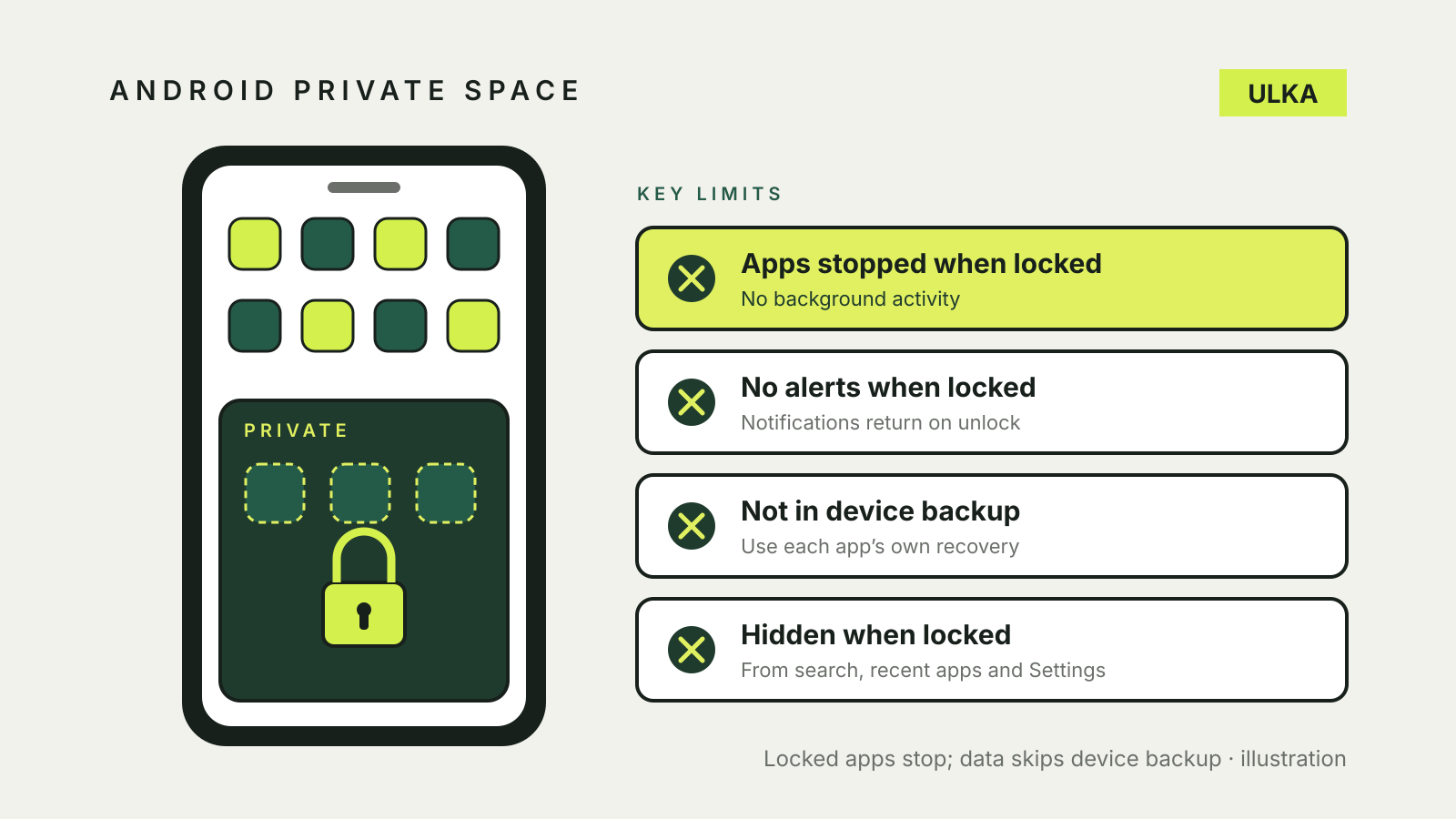
Android Private Space keeps selected apps in a separate profile that you can lock. When the space is locked, its apps are hidden from several parts of the phone and cannot run in the background or show notifications.
That last point matters before you put an authenticator, health or messaging app there: you may miss an alert while the space is locked. Google’s Private Space guide also says app data in the space is not backed up and restored as part of the device backup. Check each app’s own recovery options first.
Which Android phones have Private Space?
Google says some steps in its guide require Android 15 or later. Availability and labels depend on the device and launcher, so check your phone’s Settings rather than assuming every Android handset has the same feature. Google’s instructions also note that some launchers do not support Private Space.
On a supported device, look under Settings > Security & privacy > Private Space. If the option is absent, check your Android version and your manufacturer’s guidance; installing a similarly named third-party app is not the same as enabling Android’s built-in feature.
Set up the space and choose a lock
Open Private Space from Settings and follow the setup prompts. You can use the device screen lock or configure a separate lock for the space when offered. Google warns that if you forget the private-space unlock factor, you cannot recover access to the space using an unlock-factor recovery option. Choose something you can remember and check the implications before storing important app data there.
Private Space is a separate profile. Google says it does not automatically import the accounts from your main profile. You may sign in separately, but think about which account you use: signing in with an account used elsewhere can make synchronised photos, files, contacts or browsing data available outside the space. Google recommends a dedicated account if you need that separation. Google Android Help
Install an app inside Private Space
Unlock Private Space in the app list and use its install option. On supported setups, you can also press and hold an app in the main list and choose to install it in Private Space. Google says this installs a new instance; it does not copy or change the original app.
That means signing in and setting up the private copy may be a separate task. Check the app’s own backup and recovery method before relying on it, especially for one-time codes, banking access or content stored only on the device. Removing the regular app is a separate action; verify the private copy works and that you can recover your account first.
What happens when Private Space is locked?
Google says apps in a locked Private Space are completely stopped: they cannot run foreground or background activity or show notifications. They are also hidden from several surfaces including search, recent apps and parts of Settings. Unlocking the space makes its apps and notifications available again.
Do not put an app there if you depend on it to run or alert you continuously while the space is locked. This is particularly relevant to medical monitoring, urgent messages and authentication prompts. The regular copy of an app outside Private Space is not subject to that private copy’s locked-state restrictions.
You can lock the space manually and choose an automatic-lock setting where available. Google documents options tied to the device lock, screen timeout or restart. Check the current labels and behaviour on your device.
Files, backups and privacy limits
On supported versions, Google describes an Add files option in Private Space. Copying leaves the original in the main profile; moving deletes the original from that location after transfer. Confirm which action you selected and verify the destination before removing your only copy.
Private Space does not make all related data invisible. Google says the space can be discovered through computer access, device logs or apps. It also states that Private Space apps bypass the device VPN. Check the current guidance for your device before relying on a VPN to cover activity in the space.
Google lists backing up and restoring Private Space app data as part of device backup among unsupported actions. An individual service may offer its own account sync or export, but that is separate: verify it with the app provider and test your recovery method without exposing passwords or recovery codes.
Before deleting the space
Review each app and move or export anything you need through the app’s supported method. Check whether files were copied or moved and whether an account, authenticator or service has a working recovery route. Deleting a space and its local contents is not a substitute for cancelling subscriptions or closing accounts.
For broader phone security, see what to do if a phone is lost or stolen in Australia.