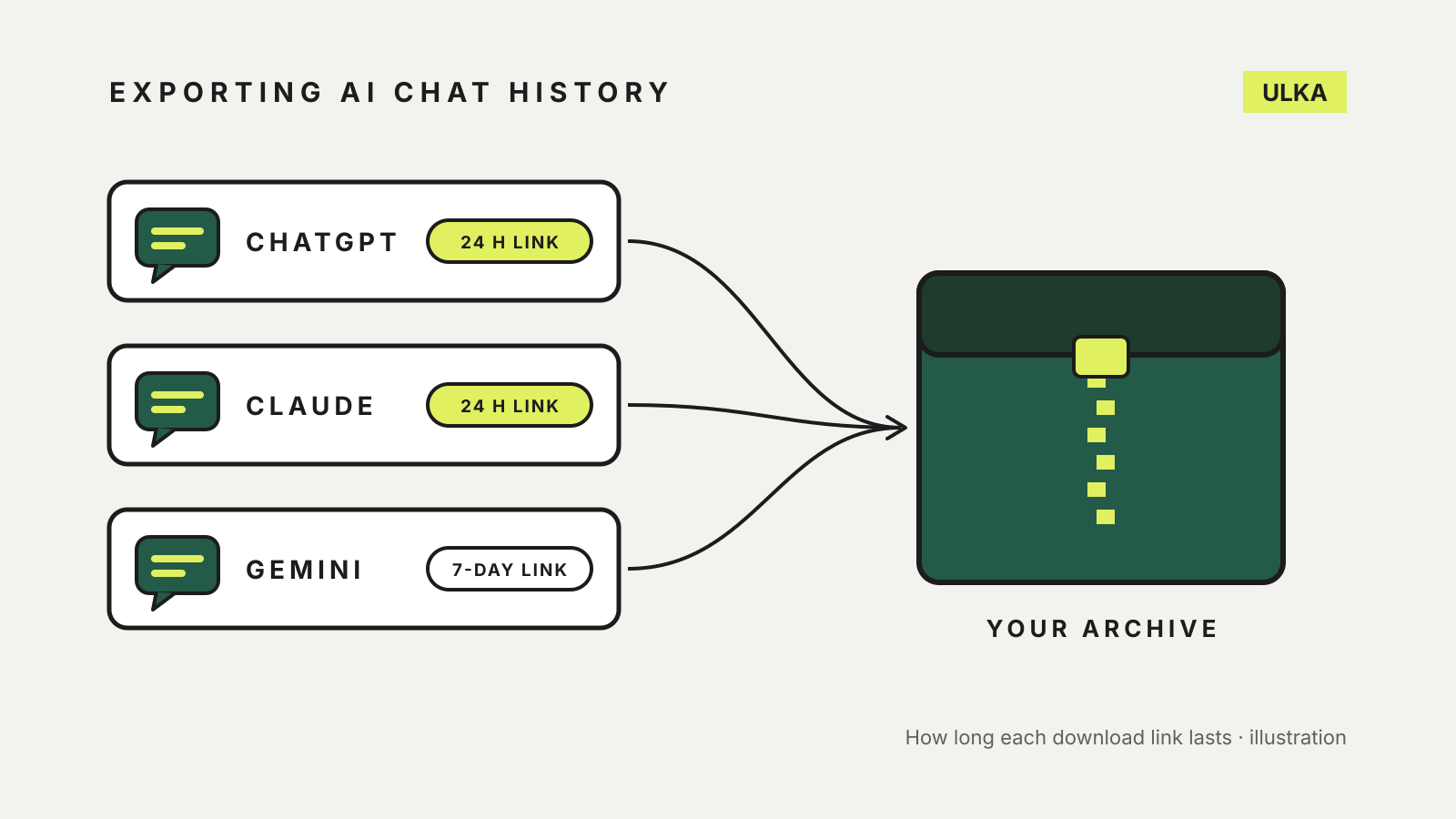
To export ChatGPT chat history, you request a download from Settings and wait for a link by email or text. Claude works almost the same way. Gemini is different: your chats come out through Google Takeout, alongside the rest of your Google data if you let it. All three give you a copy, none of them deletes anything, and two of the three links stop working 24 hours after they arrive.
This guide compares the three exports using OpenAI, Anthropic and Google help pages checked on 23 October 2026. It covers personal accounts; work and school accounts are mentioned where the rules differ.
The three exports side by side
| ChatGPT | Claude | Gemini | |
|---|---|---|---|
| Where to start | Settings > Data controls > Export data | Settings > Privacy > Export data | takeout.google.com |
| Which plans | Free, Go, Plus, Pro and eligible Edu workspaces | Free, Pro and Max | The Google Account you use for Gemini |
| How it arrives | Email or SMS with a download link | Email with a download link | Email link, or straight to Drive, Dropbox, OneDrive or Box |
| How long it can take | Up to 7 days | “A small delay” | A few hours to a few days; most the same day |
| Link expiry | 24 hours | 24 hours | 7 days for an emailed link |
| From a phone app | Not stated | No: web or Claude Desktop only | Not stated |
Export ChatGPT chat history
OpenAI’s help page on exporting ChatGPT data gives these steps for a signed-in account:
- Sign in to ChatGPT and open your profile menu.
- Select Settings, then Data controls.
- Under Export data, select Export, then Confirm export.
ChatGPT sends an email, or an SMS if your account uses only a phone number, when the file is ready. OpenAI says exports can take up to 7 days. The link expires 24 hours after you receive it, and you need to be signed in to the same account to download it. The ZIP file includes your chat history and other account data.
Two limits are worth knowing. Self-service export is not available in ChatGPT Business, Enterprise or ChatGPT for Healthcare workspaces, where the workspace owner handles data access. And an export cannot bring back chats you have already deleted. If you can’t sign in at all, OpenAI says to use its Privacy Portal: select Make a Privacy Request, choose I have a consumer ChatGPT account, then Download my data.
OpenAI also warns that the download can include sensitive account information, so keep the link and the files somewhere private.
Export Claude chats
Anthropic’s page on exporting Claude data says exports are available on the Free, Pro and Max plans and include your conversations and account data.
- Open Claude in a web browser or the Claude Desktop app. Anthropic says you can’t run an export from Claude for iOS or Android.
- Go to Settings > Privacy.
- Click Export data.
A download link arrives by email at the address on your account. You must be signed in to use it, and it expires 24 hours after delivery. If it lapses, request another export the same way.
On a Team or Enterprise plan, you can export your own chats only after an organisation owner turns on the setting that allows members to do so. Anthropic says that export does not include the contents of files you uploaded. It also says exported data can’t be imported into another personal Claude account.
Export Gemini chats with Google Takeout
Google’s page on downloading Gemini Apps data uses Takeout. By default Takeout selects almost every Google product, so start by clearing the list.
- Go to takeout.google.com, signed in to the Google Account you use for Gemini.
- Under “Select data to include”, select Deselect all.
- To include your Gems, tick Gemini.
- For your chats, generated media and uploads, tick My Activity, select All activity data included, choose Deselect all in the pop-up, tick Gemini Apps, then OK.
- Select Next step, choose how to receive the archive and whether to export once or on a schedule, pick .zip or .tgz, then select Create export.
Google says an emailed link stays active for 7 days. If you choose Drive, the archive counts towards your storage. If you send it to Dropbox, OneDrive or Box, Google says it is no longer responsible for the file once it arrives there, so keep that folder private. Our guide to Google Takeout explains the archive options in more detail.
What an export does not do
An export is a copy. Google states plainly that downloading your Gemini Apps activity does not delete it from Google’s servers, and neither OpenAI nor Anthropic describes its export as removing anything. If you want chats gone, delete them separately; our guide to AI chatbot privacy settings covers history and training controls for all three.
An export is also not a migration tool. Anthropic is explicit that a Claude export can’t be loaded into another personal Claude account, and none of the three help pages describes importing chats into a rival assistant. Treat the files as an archive you can read and search, not a way to carry a conversation across services.
If you only need one conversation, sharing may suit better than a full export. See how to share a ChatGPT, Claude or Gemini chat safely for what a shared link exposes.