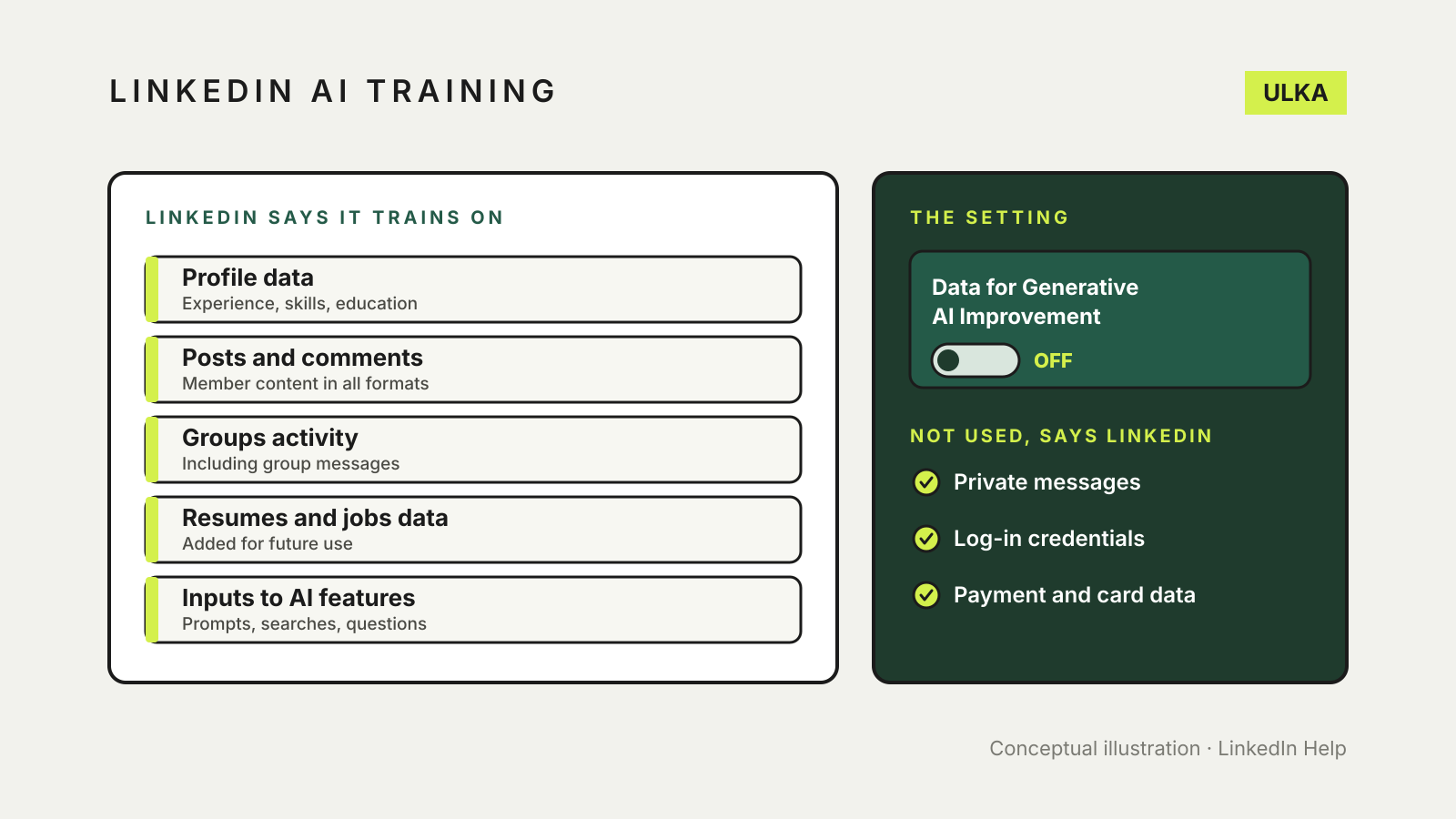
You can stop LinkedIn using your profile and posts to train its content-generating AI models by turning off the “Data for Generative AI Improvement” setting. LinkedIn says opting out applies going forward and does not undo training that has already happened. The setting does not cover everything, so there is also an objection form for feedback data and for non-generative AI models.
Checked 22 November 2026: this guide follows LinkedIn’s “LinkedIn and generative AI (GAI) FAQs” help page. LinkedIn can change its settings and wording.
What LinkedIn says it trains on
LinkedIn says it uses these categories of data to train generative AI models that create content:
- Profile data: name, photo, current position, work experience, education, location, skills, certifications, licences, volunteering, publications, patents, endorsements and recommendations.
- GAI usage data: what you put into its generative AI features, such as prompts, search text and questions.
- Jobs-related data: screening-question responses and resumes you add to your account for ongoing and future use, not tied to a specific application.
- Groups data: group activity and group messages.
- Member content: posts, articles, poll responses, contributions and comments.
- Feedback: support requests, thumbs up or down on AI suggestions and reports about AI content.
It says it tries to minimise personal data in training, and gives examples of what it will not use: private messages (InMail and Inbox), log-in credentials, payment and card data, and member-provided salary or job application data attributable to a specific member.
How to opt out of training
- Sign in to LinkedIn and open the Data for Generative AI Improvement setting. LinkedIn’s help page links to it directly, and it needs you to be signed in.
- Turn the setting off.
- Check it again later. LinkedIn says you can change the setting at any time.
LinkedIn says that, apart from the exceptions below, opting out means it and its affiliates, including Microsoft, will not use your LinkedIn data to improve models that generate content going forward. It does not affect training that has already taken place.
What the setting does not cover
- Feedback and improvement data. LinkedIn says feedback you give to improve its products may still be used to improve its generative AI models, even if you have opted out of the training setting. To object, use the LinkedIn Data Processing Objection form.
- AI that does not generate content. Models used to personalise your experience or for security, trust and anti-abuse purposes are not covered by the setting. The same Data Processing Objection form is the route for those.
- Copyrighted material. LinkedIn points to its Notice of Copyright Infringement form for copyrighted works.
- Features you use. Anything you type into a LinkedIn generative AI feature is processed to give you the result. LinkedIn says that content is stored until you delete it.
Does it depend on where you live?
LinkedIn’s page says it updated its European Regional Privacy Notice on 3 November 2025 for members in the “Designated Countries” and the UK, and defines Designated Countries as the European Union, the European Economic Area and Switzerland. Australia is not on that list, and the opt-out setting described above is the control the page offers all members. If you are in Australia, treat the setting as the step to check.
LinkedIn also says it does not train content-generating models on data from members it believes are under 18, even if their setting appears turned on.
Review what LinkedIn holds
LinkedIn’s FAQ says you can use its data access tool to review the data it holds about your activity, including past generative AI sessions, and to delete it or request deletion. See LinkedIn’s help page on managing your personal data.
Other AI settings worth checking
Training settings differ from service to service. For chatbots, see AI chatbot privacy settings. If you use Microsoft’s assistant, our guide to Copilot app privacy settings covers memory and chat history.