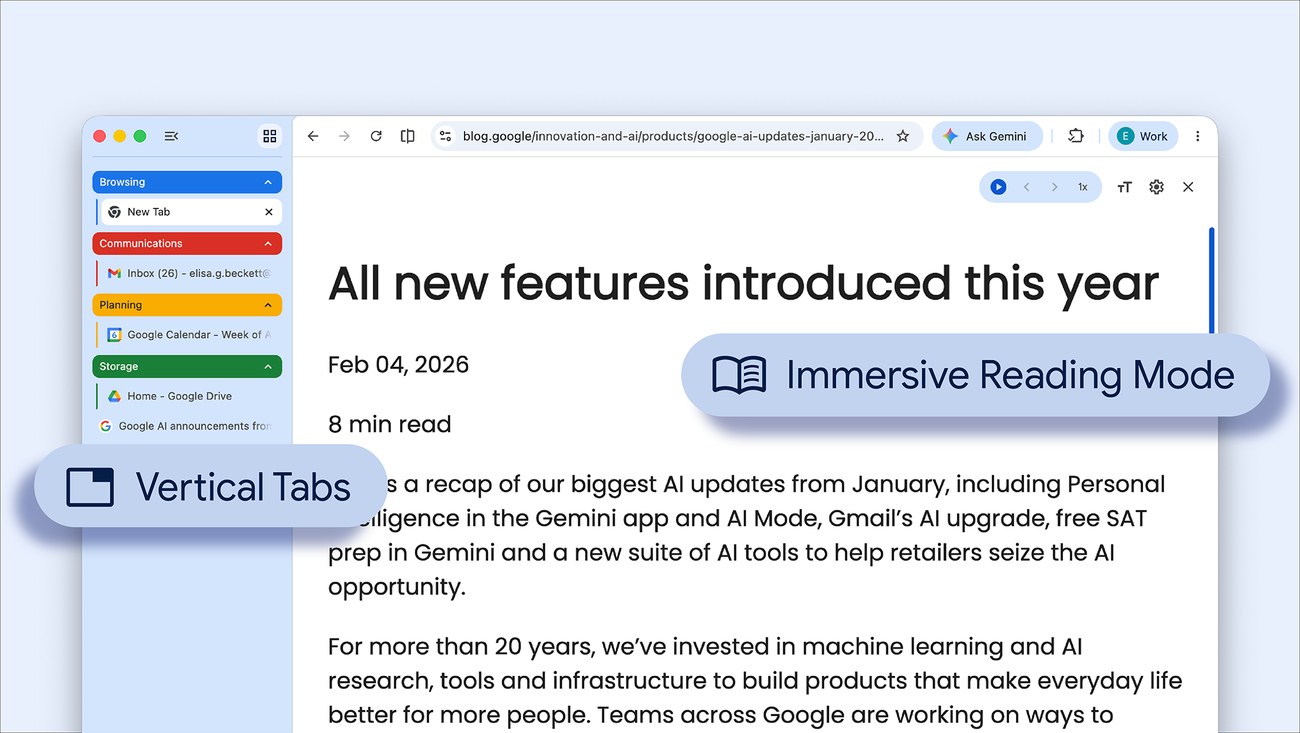
Chrome is gaining two optional ways to make a crowded browser easier to read: vertical tabs and a full-page Reading Mode. Google announced the rollout on 7 April, giving desktop users alternatives to a narrow strip of tab titles and the usual page layout.
Both changes address space on the screen. One makes open pages easier to identify; the other gives the page you are reading more room to breathe.
Put tab names where there is room for them
Vertical tabs move the tab list to the side of the window. Google says the layout is intended to keep fuller page titles and tab groups visible when many pages are open. The option appears by right-clicking a Chrome window and selecting Show Tabs Vertically.
That can be useful when several documents have similar titles or when a research session involves groups of related pages. A recognisable title is often more helpful than another row of tiny icons.
There is a trade-off: the list occupies horizontal space that a website could otherwise use. On a smaller laptop, try the layout with the applications you actually use side by side. A tab arrangement that feels comfortable on a wide monitor may be less useful beside a spreadsheet or video call.
Give Reading Mode the whole page
Google is also expanding Reading Mode into a full-page experience. The announced route is to right-click a page and choose Open in reading mode. This provides a more focused view of text without requiring the reader to keep the original page layout as the main visual frame.
A simplified reading view is useful for sustained reading, but the original page remains important when a chart, interactive feature or carefully arranged table carries part of the meaning. If something appears to be missing, return to that page before drawing a conclusion from the text alone.
Google describes these features as rolling out, so an announcement does not mean that every installation receives the options at the same moment. Check the installed version and normal update controls before assuming a missing menu item is a fault.
These are workflow changes, not evidence of faster page loading. For that separate question, our explanation of JetStream 3 looks at what a browser benchmark actually measures.
Questions
Do I have to use vertical tabs?
No. Google presents the layout as an option that users can choose.
Will Reading Mode preserve every page feature?
A simplified view is designed around reading. Check the original when layout or interactive content matters.
Why might the options be absent?
The rollout is gradual. Availability can differ between installations while updates are being distributed.
Sources
Google, New Chrome productivity features, 7 April 2026. Cover: Google’s published Chrome interface image.