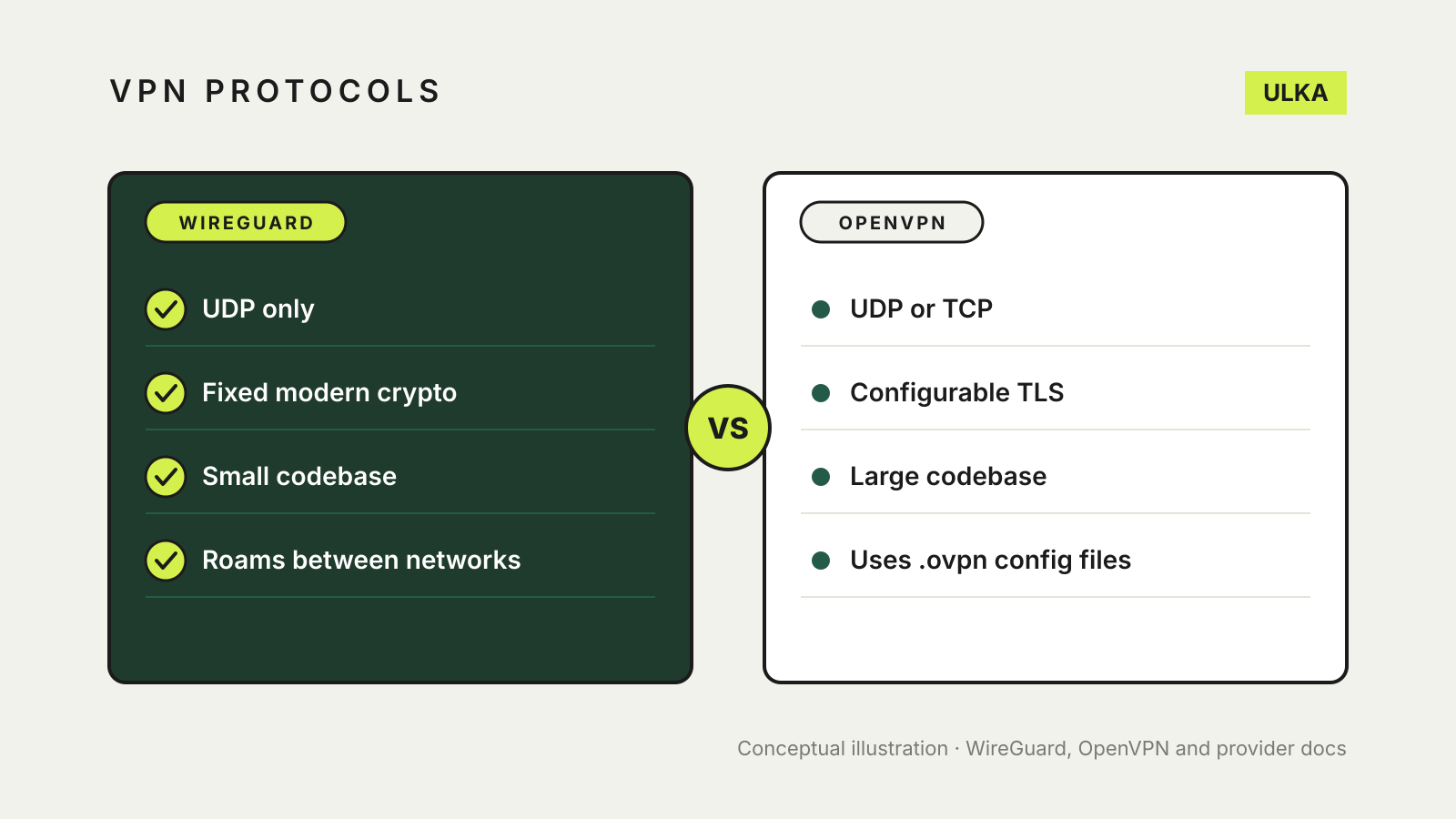
For most people using a commercial VPN app in Australia, WireGuard is the better default: it is newer, has a far smaller codebase and is designed to be fast and to cope with switching networks. OpenVPN is older and more configurable, and it can run over TCP as well as UDP. In practice the choice is often made for you: Proton VPN now offers OpenVPN only in its Linux app, and Mullvad has dropped it altogether.
This guide explains how the two protocols differ, when OpenVPN still makes sense, and how to change protocol in a VPN app. It draws on the WireGuard and OpenVPN projects’ own documentation and on provider support pages, checked on 11 November 2026.
What a VPN protocol does
A VPN protocol is the set of rules your device and the VPN server use to set up an encrypted tunnel and pass your traffic through it. The app, the server list and the company’s logging policy sit on top. Choosing a protocol changes how the tunnel is built; it does not change who runs the servers or what they keep. Our guide to whether a free VPN is safe covers that side of the decision.
WireGuard vs OpenVPN at a glance
| WireGuard | OpenVPN | |
|---|---|---|
| Transport | UDP only, according to the WireGuard project | UDP or TCP, according to the OpenVPN project |
| Encryption | A fixed set: ChaCha20 with Poly1305, Curve25519, BLAKE2s and related primitives | Built on SSL/TLS, with many configurable options |
| Codebase | Designed to be small enough for one person to review | Much larger; WireGuard’s site calls it a “behemoth” by comparison |
| Authentication | Exchanged public keys, similar to SSH | Certificates, smart cards and/or usernames and passwords |
| Network changes | Can roam between IP addresses | Configurable reconnection behaviour |
| In Proton VPN and Mullvad apps | Main option (Mullvad: the only one) | Proton: Linux app only; Mullvad: removed |
Why WireGuard became the default
The WireGuard project says it aims to be faster, simpler and leaner than IPsec and “considerably more performant than OpenVPN”. Three design choices drive that.
A small, fixed toolkit. WireGuard uses one set of modern cryptographic primitives rather than letting each server and client negotiate. That removes a class of configuration mistakes, at the cost of flexibility.
Less code to audit. The project says WireGuard is meant to be implemented in very few lines of code so it can be reviewed by a single person, contrasting this with the large codebases of IPsec and OpenVPN with OpenSSL.
Built for moving devices. WireGuard says it can roam between IP addresses. That suits phones that hop between home Wi-Fi and mobile data. Its handshake is repeated every few minutes to rotate keys, which provides perfect forward secrecy.
Treat these as the developers’ design goals rather than a speed promise. Real-world speed depends far more on your NBN or mobile connection, the server’s load and its distance from you than on the protocol alone.
When OpenVPN still makes sense
OpenVPN describes itself as a full-featured SSL VPN that can run a server on a single TCP or UDP port and supports many authentication methods and access rules. That flexibility still matters in two situations:
- Self-hosted and work VPNs. If your employer, school or router gives you an OpenVPN configuration file (it usually ends in
.ovpn), use OpenVPN, because that is what the server expects. - Networks that block VPN traffic. Mullvad acknowledged when it dropped OpenVPN that it had sometimes got through firewalls and censorship where WireGuard could not. Providers now offer their own answers to this, such as WireGuard over TCP, Mullvad’s anti-censorship options or Proton’s Stealth protocol.
What the big providers are doing
Provider support pages show how far the shift has gone:
- Proton VPN lists WireGuard, OpenVPN, Stealth, IKEv2 and its automatic Smart Protocol. It recommends leaving Smart Protocol on, offers WireGuard over both UDP and TCP on most apps, and now lists OpenVPN only in its Linux app.
- Mullvad announced in November 2024 that it would retire OpenVPN, removed it from its desktop app in December 2025 and set 15 January 2026 as the date its last OpenVPN servers would go. It says routers and third-party apps configured for its OpenVPN servers stop working after that and should move to WireGuard.
If you set up a router VPN with an OpenVPN file a few years ago, check that your provider still supports it. Our guide to running a VPN on a router or on each device covers the trade-offs.
How to change protocol in a VPN app
The setting is usually in the app’s settings under Connection or Protocol. In Proton VPN, for example:
- Open the app and go to Settings.
- Select Protocol (under Connection on Windows and Android, or Security Options on iPhone and iPad).
- Choose a protocol, or leave Smart selected to let the app pick.
After changing protocol, run the checks in how to check if your VPN is working to confirm your IP address and DNS requests go through the tunnel, and make sure the kill switch is still on.
Which to choose
- Using a mainstream VPN app on a phone or laptop: leave the app on its automatic setting or choose WireGuard.
- Connecting to a work, school or router VPN that gave you an OpenVPN file: use OpenVPN, because that is what the server expects.
- On a network that blocks VPNs: try your provider’s TCP or obfuscation option before switching protocol families.
- Setting up your own server at home: WireGuard is simpler to configure, according to its developers, which means fewer settings to get wrong.