A Wi-Fi 7 router cannot turn a 100 Mbps internet service into a gigabit connection. It may improve the wireless part of your home network, but an internet download still has to pass through the broadband service, router, wireless link and receiving device.
Before replacing equipment, find the part that is actually limiting the task. A slow download, a video call that breaks up in one bedroom and a sluggish copy to a home server can have three different causes. Each needs a different comparison.
Draw the route your data takes
For an internet download, the route includes the remote service, your internet connection and the connection from router to device. For a file copied from a local network drive, the internet service may not be involved at all.
That distinction explains why a faster home network can help some work without changing an online speed test. It can also explain why an expensive router makes little difference to downloads when the internet plan is the narrowest part of the path.
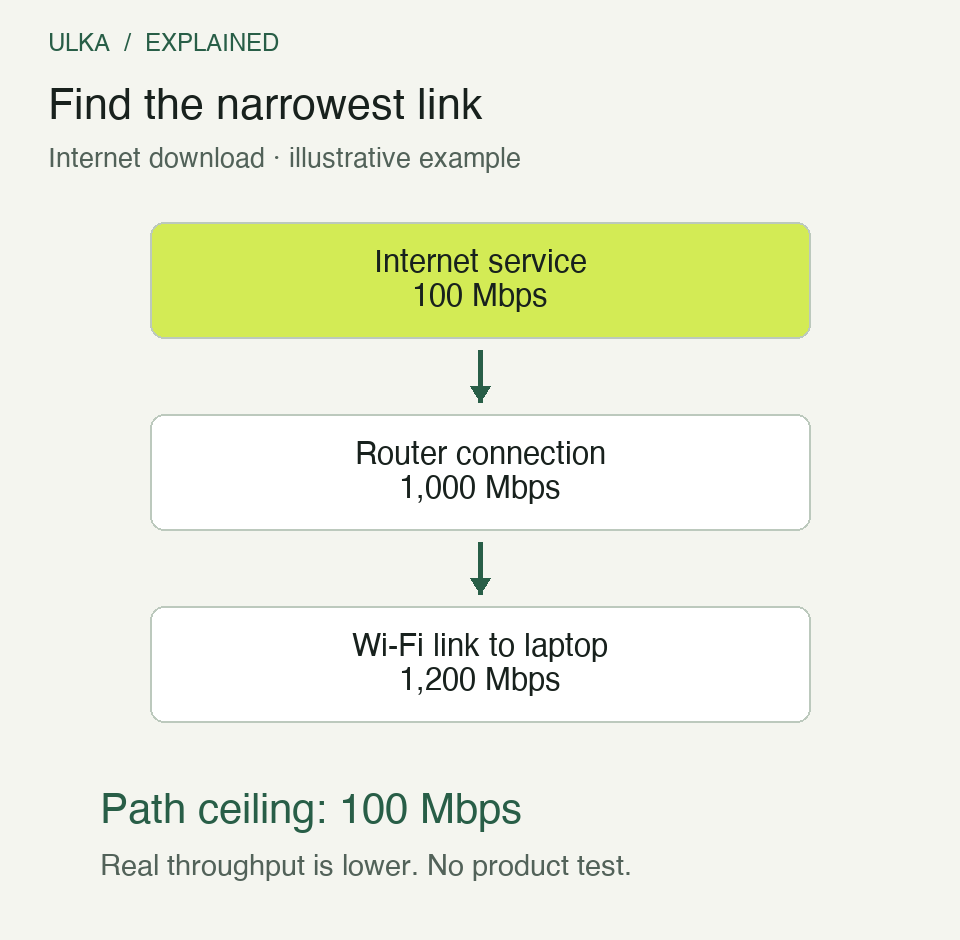
Illustrative planning example, not measured performance. The slowest stated link sets a ceiling; wireless overhead, signal conditions and the remote service can reduce actual throughput further.
Do not compare a router’s combined wireless rating directly with the speed available to one laptop. Marketing totals may add the capacities of several bands. A single connection does not automatically use that total.
What Wi-Fi 7 actually adds
Wi-Fi Alliance’s certification announcement identifies several changes. Wider 320 MHz channels can support higher throughput where the required 6 GHz spectrum is available. Multi-Link Operation, or MLO, allows supported devices to use multiple links. Higher-order modulation can carry more information under suitable signal conditions.
These are capabilities, not fixed improvements in every room. The client device has to support the relevant features, and local spectrum rules and product configuration matter. A phone without the required capability does not gain it because the router has a Wi-Fi 7 label.
For Australian use, buy equipment intended for the local market and check its supported bands and firmware. Specifications from another region may describe a different configuration. This guide does not assume that every internationally advertised channel arrangement is available on every Australian model.
Measure near the router, then in the problem room
Begin with a repeatable task. Use the same device, close unnecessary downloads and note the time. If possible, compare an internet test over Ethernet with the same test on Wi-Fi close to the router, then in the room where the problem occurs.
A good wired result followed by a poor distant wireless result points attention towards the home wireless path. Poor results in both arrangements suggest investigating the internet service, remote test endpoint or router connection before assuming the radio is at fault.
One result is not enough to isolate a cause. Repeat at another time, especially if the problem follows evening demand. Keep notes of interruptions and responsiveness as well as headline download speed. A call can be unpleasant even when a large file eventually downloads quickly.
| Observation | Useful next check |
|---|---|
| Good near the router, poor in one room | Placement, obstacles and the connection to any mesh node |
| Wired and wireless internet both slow | Service conditions, other traffic and the router’s internet link |
| Internet is fine, local file copies are slow | Storage, Ethernet ports and the route to the local device |
| Only one device struggles | Its wireless capability, software and position |
A mesh node needs a good connection too
A mesh system adds access points, but each needs a route back to the rest of the network. That route is the backhaul. It can be wireless or wired, depending on the equipment and setup.
Putting a wireless node in the room with almost no signal may simply give the client a strong connection to a node that has a weak connection upstream. Try an intermediate position where the node can communicate well with the main router while still serving the target area.
Wired backhaul can avoid using a wireless hop for that part of the path, when Ethernet cabling is practical and supported. It does not remove limits elsewhere, such as a slow Ethernet port or an overloaded internet service.
Do not mix products on the assumption that “mesh” is one universal pairing system. Check the vendor’s compatibility information, supported modes and whether important features remain available in the chosen arrangement.
Check ports before paying for multi-gigabit Wi-Fi
A high wireless specification can sit beside a lower-speed Ethernet connection. Inspect both the internet-facing WAN port and the LAN ports used by network drives, switches or wired computers.
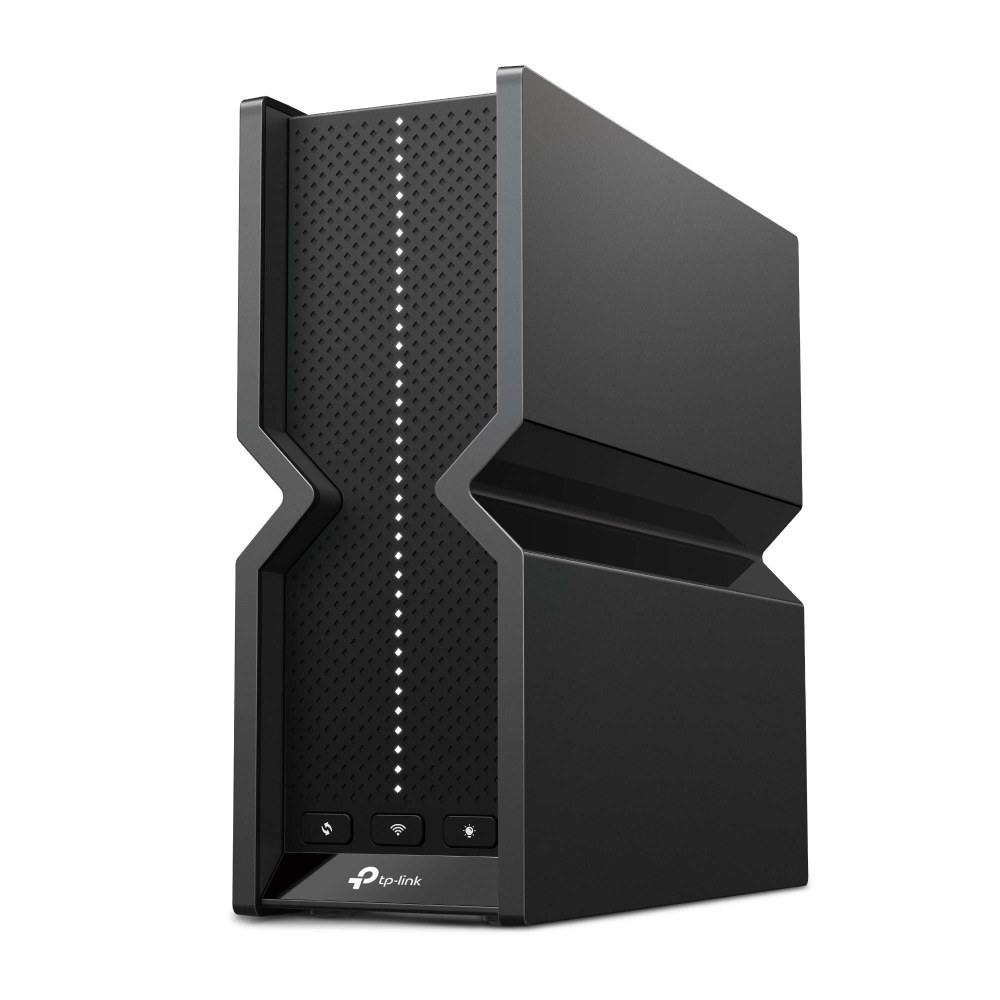
TP-Link’s Archer BE550 is one example that lists its wired ports separately from its combined wireless rating. The Australian product page specifies a 2.5 Gbps WAN port and four 2.5 Gbps LAN ports. That distinction is the useful lesson; the photograph is an illustration of real equipment, not a comparative test or a recommendation to replace your router with it.
Trace every relevant link. A 2.5 Gbps router port connected through a 1 Gbps switch still has a 1 Gbps segment in that route. A faster switch is worth considering only if the devices and workload can benefit.
Spend on the problem you found
If coverage is the issue, placement or a properly connected additional access point may matter more than the generation number on the box. If local transfers are the issue, storage and wired ports deserve attention. If the internet service is the limit, a router upgrade may leave download speed largely unchanged.
Keep the working configuration secure as well as fast: maintain firmware, use the supported security settings and keep the administration account protected. Record the model and current setup before replacing anything so changes can be compared or reversed.
For related hardware choices, visit our Computing coverage. The goal is a network that reliably supports your rooms and devices, with an upgrade tied to an observed limitation.
Questions
Does Wi-Fi 7 automatically make my broadband faster?
No. It changes the local wireless connection; the broadband service and remote destination can still impose lower limits.
Should a mesh node go in the weakest-signal room?
It also needs a reliable upstream connection. An intermediate position or supported wired backhaul may work better.
Can my old laptop use every Wi-Fi 7 feature?
No. Features such as MLO require compatible client support, as well as a suitable router and configuration.
Is the chart a router benchmark?
No. It is a labelled example showing how one slower link limits a path. It reports no measured product performance.
Sources
Wi-Fi Alliance, introduction of Wi-Fi CERTIFIED 7, 8 January 2024; TP-Link Australia, Archer BE550 specifications. Network diagram: ULKA illustrative link-capacity example. Cover: TP-Link product image.