An AI website builder can produce a first layout quickly. The more important question is whether you can turn that layout into a website you can run: edit pages, receive enquiries, publish new material and fix problems on a phone.
Wix, Squarespace, Hostinger and Framer offer four useful starting points. This comparison is based on their official product documentation, checked on 26 September 2026. It assesses documented workflows and suitability; it does not claim measured performance or hands-on results.
Four builders for different priorities
| Builder | A useful fit | What to inspect in a trial |
|---|---|---|
| Wix | Service businesses needing a site and business tools | Booking, store or enquiry features alongside the editor |
| Squarespace | Portfolios and businesses that want consistent presentation | Global styles, page editing and mobile layout control |
| Hostinger | A small project seeking building and hosting together | The exact builder, plan and renewal commitment |
| Framer | Design-led sites with structured content | Canvas editing, CMS requirements and responsive behaviour |
Treat this as a shortlist, then try the workflow that matters to you. A builder can describe itself as suitable for a business without supporting every booking rule, payment arrangement or publishing requirement that business needs.
If you only need help drafting words or creating images, you may not need to move your website at all. Our guides to AI chatbots and AI image generators cover tools that can support an existing site.
Wix brings website creation and business tools together
Wix’s AI website builder combines conversational creation with drag-and-drop editing. Its product page describes business functions including stores, scheduling, blogs, contact management and marketing tools, with Aria as an assistant for building and managing the site.
That combination makes Wix worth trying for a service business. A tutor, consultant or repair business may need the site to do more than display a polished introduction. Enquiries and appointments have to reach the right place, and the owner needs to change the content without reconstructing the page.
Build the ordinary customer journey in your trial. Ask for a service page, contact details and the required enquiry or booking process. Then change the opening hours and add a new service yourself. Check how the builder handles the update on both desktop and mobile.
The product page’s broad capabilities are a starting point for questions about the plan. Verify that the relevant feature works with your market, chosen payment provider and account. A page containing a booking button does not prove that the booking process is configured correctly.
Wix is a strong shortlist candidate when built-in business functions are central to the project. The trial should establish how comfortably you can operate those functions after the initial design is finished.
Squarespace suits a consistent visual system
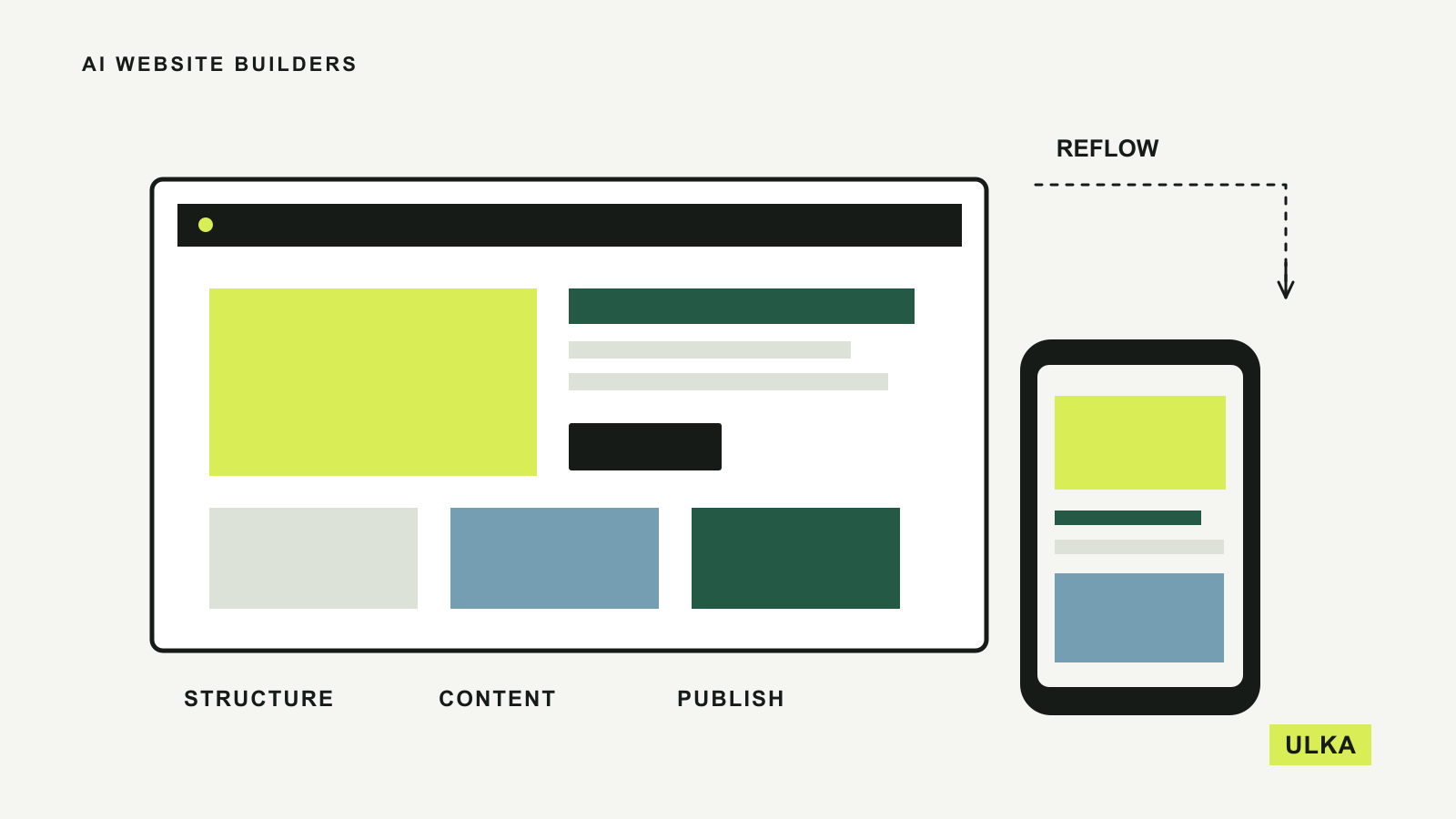
Squarespace’s website design page describes AI-driven site creation, an assistant, image tools and a drag-and-drop editor. It also describes site-wide control over fonts, colours, buttons and spacing, alongside separate refinement of desktop and mobile layouts.
For a portfolio or a small business website, those shared styles can reduce the work of keeping pages consistent. You want a new project page to feel like part of the same site without manually reproducing every detail.
The practical test is to add content that was not in the original brief. Use a long heading, an unusually tall image and a page with several sections. Change a shared style and see how it affects the pages you have already created.
Look closely at the mobile result. “Responsive” describes a system’s ability to adapt, but you still need to inspect the arrangement, reading order and the amount of scrolling required. Check that a contact button remains easy to find and that important text has not become too small.
Squarespace belongs on the shortlist when you want a cohesive design and an editor you can use repeatedly. If your project depends on specialised content relationships or complex operations, test those requirements early.
Hostinger needs a clear choice of building approach
Hostinger’s AI website builder page describes two approaches: generating a site and editing it visually, or building through a conversation with AI. It also brings hosting and other services into the offer.
That distinction matters more than the phrase “AI website builder”. A conventional visual editor and a conversational app-building environment can create different expectations about how you make changes and maintain the result. Confirm which product and plan the checkout is providing.
For a straightforward brochure site, start with a small specification: home, services, About and a working enquiry form. Make one structural change after generation, such as adding a second service category. Then check whether you understand how to make the same change next month.
Read the billing terms beyond the advertised monthly equivalent. Hostinger states that plans are paid upfront and shows renewal pricing separately. The cost comparison should therefore include the initial term and the renewal period, in the currency displayed at your checkout.
Hosting bundled with a builder can simplify setup. It does not answer every question about content export, backups, extra services or moving later. Ask those questions before the site becomes essential to the business.
Framer combines AI assistance with a visual canvas
Framer’s AI website builder page describes agents that create editable pages, sections and visuals directly on its canvas. It also describes working with CMS collections and refining typography, spacing and colour.
Framer is worth considering for a design-led site where you expect to refine the first result closely. A canvas-based workflow can be useful when you want to control the relationships between headings, images and sections rather than accept the first arrangement.
If the site will publish articles or project updates, build a real CMS example before deciding. Create several entries with different title lengths and image shapes. Check the listing page, the individual page and what happens when a field is missing.
Framer describes AI tools for reviewing issues such as contrast, missing alt text and SEO gaps. Treat those as assistance during a review, not as proof that a published site meets every requirement. You still need to open the pages, follow the links and operate the forms.
Choose Framer for the editing workflow you want to use. An attractive demo is less important than being able to make a precise change and understand where the content lives.
Give every builder the same complete brief
A useful brief tells the builder who visits, what they need to do and what information you can supply. Include the real page list, navigation labels, brand assets and a short description of the service.
For an Australian business, specify Australian English and the intended market. Supply your actual hours, contact details and service area. Check currencies and date formats wherever money or bookings appear. Do not let a plausible-looking draft supply business facts you have not provided.
Ask for one complete customer journey first. A visitor should be able to understand the service, find the relevant conditions and send an enquiry. You can improve the visual details after that path works.
Avoid comparing four elaborate homepages while postponing the functional pages. A builder that makes a striking first screen but frustrates routine editing may be a poor match for the person who will maintain it.
Check the published site before calling it finished
Preview mode is useful, but the published domain is where the customer journey happens. Open every menu item and check the page addresses. Send a clearly labelled test enquiry and confirm it reaches the system you intend to monitor.
Test the form’s required fields and success message. A reassuring message on the page is not enough if the submission was not saved or delivered. Remove test entries when they are no longer needed.
On a phone, inspect long headings, image crops, buttons and any tables. Use the menu and form with the on-screen keyboard open. Check that no element pushes the page sideways and that important controls are easy to reach.
Review page titles, descriptions and social preview images. Ask how the platform handles redirects if you change a page address, and whether your content can be exported in a useful form. These details are easier to investigate before launch than during an urgent move.
Pay for the website you need to maintain
Compare the full package: the site plan, required business tools, domain renewal, email if needed and any usage-based AI allowance. Some offers combine services for an introductory period, so separate what is included now from what you will pay for later.
Keep the domain registration and account recovery under your control. Record where enquiries go and who can publish changes. If someone else builds the site, ask them to demonstrate how you add a page, replace an image and correct a mistake.
The best choice is the builder in which your required functions work and ordinary maintenance remains understandable. A successful first draft is only the beginning of that assessment.
Questions
Which AI website builder is best for a small business?
Wix is worth considering when integrated business functions matter, while Squarespace, Hostinger and Framer offer different editing approaches. Try the actual customer journey before choosing.
Can I publish a website made with an AI builder?
The products in this guide include publishing or hosting workflows. Check the plan needed for your custom domain and required features, then verify the published pages.
Will an AI website builder create a working contact form?
A builder may add a form, but its destination and processing still need configuration and testing. Send a test and verify receipt or storage in the intended system.
Can I move an AI-built website to another platform?
Export and migration options vary by product and content type. Check what you can take with you before committing, including articles, images, redirects and structured data.
Sources
- Wix: AI website builder.
- Squarespace: Website design.
- Hostinger: AI website builder.
- Framer: AI website builder.
Product documentation consulted 26 September 2026.