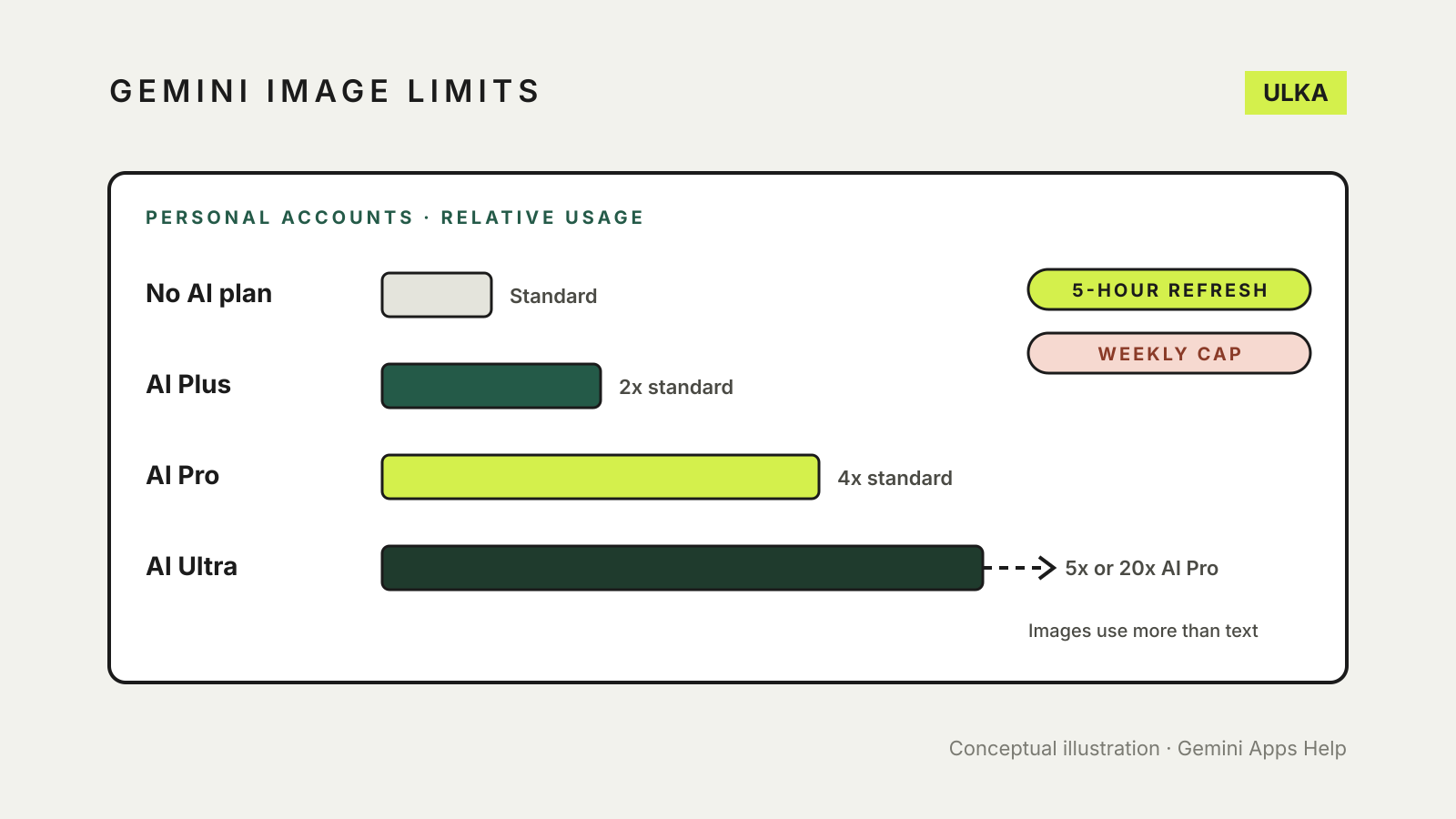
The Gemini image generation limit for a personal Google account is no longer a fixed number of pictures a day. Google now describes Gemini’s limits as compute-based: image requests draw on the same allowance as your chats, refresh every five hours, and stop at a weekly cap. Paid Google AI plans multiply that allowance rather than adding a separate image quota. Work and school accounts are the exception, with daily image numbers still published.
This guide follows Google’s Gemini Apps Help pages. It was checked on 9 November 2026.
How the limit works on a personal account
Google’s limits and feature availability page says Gemini Apps have compute-based usage limits that factor in the complexity of your prompt, the models and features you use, and the length of your chat. Your limit refreshes every five hours until you reach your weekly limit.
Images cost more than text. In Google’s usage table, simple chat is “very low” cost, while multimedia requests, including images, music and video, “require a lot of thinking power”, with video using the most. A long chat also costs more over time, because Gemini re-reads the conversation history. Google’s own tip is to start a new chat when you change topic.
What each plan gets, relative to the free tier:
| Plan | Usage limit |
|---|---|
| Without a Google AI plan | Standard limits |
| Google AI Plus | 2x standard |
| Google AI Pro | 4x standard |
| Google AI Ultra | 5x or 20x AI Pro, depending on the subscription |
Google also says limits may change without notice, including because of capacity, and that users without a plan may be limited first when demand is high. All three paid plans are listed as available in Australia.
What the paid plans add for images
Image generation with Google’s Nano Banana 2 model is available without a plan. According to Google’s image help page, a Google AI plan adds two things for images:
- Larger downloads. Images download at 2K resolution with a Google AI plan, or 1K without one.
- Redo with Pro. Paid subscribers can regenerate an image with Nano Banana Pro, which Google says adds detail, especially for text in images and infographics.
One catch: Google says that if you reach your daily quota of Nano Banana 2 images, you cannot redo more images with Nano Banana Pro either.
Work and school accounts still have daily numbers
If you sign in to Gemini with a Google Workspace account from your employer or school, a different table applies. Google’s work and school page lists image generation and editing at between up to 20 and up to 100 images a day, depending on the Workspace edition, with separate daily caps for Nano Banana Pro redos. Google notes that image generation “is in high demand”, so these limits may change frequently, and that they reset daily.
How to check your own limit
Gemini tells you when you are close to a limit and, once you reach it, when it will refresh. To see your usage on the web, Google says to go to gemini.google.com and open Settings, then Usage Limits.
If the refresh time in that message is days away rather than hours, you have reached the weekly limit, not the five-hourly one. Google says paid subscribers who hit a limit can keep chatting with the lighter Flash-Lite model in the meantime.
Usage is shared across the Gemini web app, the mobile app and Gemini in Chrome, according to Google’s work and school page, so images made in one place count everywhere.
Getting more from each image
Because every request draws on the allowance, fewer, clearer prompts go further. Google suggests starting with a word such as “create” or “generate”, naming a style such as watercolour or photorealistic, and describing the subject, what it is doing and the setting. To edit, open the image from your Library, click Chat beneath it and describe the change, rather than starting from scratch.
A few rules to know before you start:
- You must be 18 or over to edit images with a personal account; generating images needs you to be 13 or the applicable age in your country.
- Connecting Google Photos to edit your own pictures is listed by Google as available only to users 18 and over in the US.
- Gemini may remove images when its systems detect a possible breach of Google’s Terms of Service or Prohibited Use Policy.
Before you publish or sell what you make, read our guide to using AI images commercially. For a wider choice of tools, see our AI image generators comparison, and for spotting AI pictures, how to tell if an image is AI-generated.