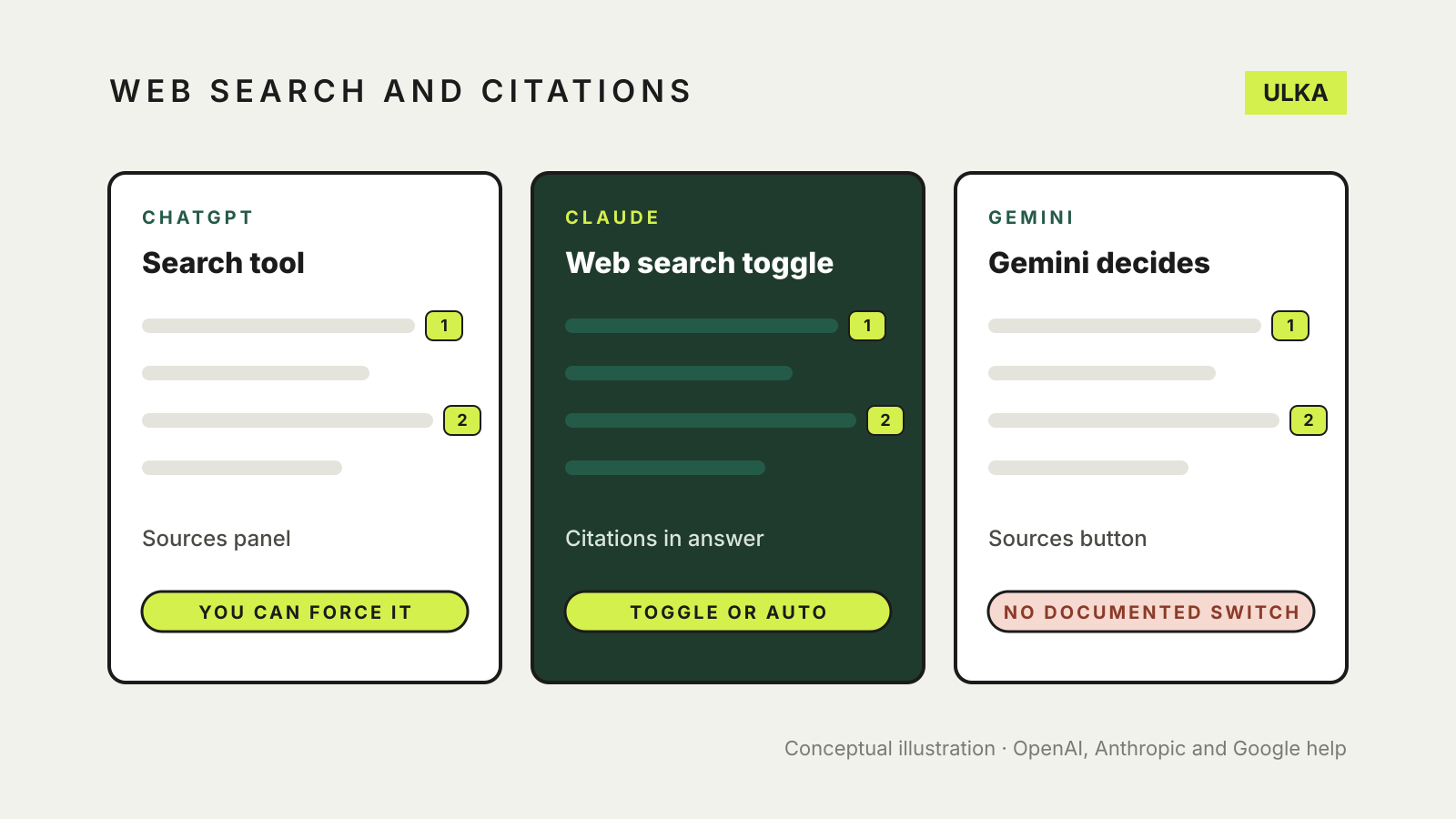
ChatGPT, Claude and Gemini can all look things up on the web, but they handle it differently. ChatGPT lets you start a search yourself from its tools menu and shows a Sources panel. Claude adds citations to every answer that uses web search, with a toggle on some versions of the app. Gemini may show a Sources button, but Google does not document a way to make it search on every request.
None of the three guarantees that a cited page says what the answer claims. This comparison sets out how each one searches, where the citations appear and what each company says about checking them, based on OpenAI, Anthropic and Google help pages checked on 8 November 2026. We compared documented features only; we did not run timed or scored tests.
At a glance
| ChatGPT | Claude | Gemini | |
|---|---|---|---|
| Can you force a search? | Yes: Search in the tools menu, or type / | Toggle Web search under +; the newer app has no toggle | No documented switch; Gemini decides |
| Where citations appear | Inline citations and a Sources panel | Direct citations and source links in the answer | Sources button below the answer or inline |
| Reads a link you paste? | Not covered on the search help page | Yes, through web fetch when web search is on | Not covered on the sources help page |
| Search partners named | Microsoft and Shopify | Bing for image results | Not named on the sources page |
| Uses your location? | Approximate location from IP; precise location optional | May use location inferred from IP | Not covered on the sources page |
| Free accounts | Yes, within plan limits | Yes; searches count toward usage limits | Not covered on the sources page |
ChatGPT
OpenAI’s web search help page says search is available on every ChatGPT plan, from Free to Enterprise, and even to people who aren’t signed in. ChatGPT may search on its own when a question needs current information.
To make it search:
- Open a conversation and select View all tools.
- Select Search, then type your question.
You can also type / in the message box and pick Search, or regenerate an answer and choose Search the web.
Answers that use the web may include citations. Click one to open the source; on desktop you can hover over it for a preview. Sources lists the cited pages and other relevant links.
Two details matter for privacy. OpenAI says ChatGPT may rewrite your question into shorter queries and send them to search partners, naming Microsoft and Shopify. It does not pass on your IP address or account details, but it may share a general location worked out from your IP address. If memory is on, saved memories can shape those queries. Device location sharing is off by default and sits under Settings > Data controls > Location.
Claude
Anthropic’s web search article describes two set-ups. In the current Claude app, there is no toggle: “Claude searches the web when it helps.” In apps that still have one, you turn it on per chat:
- Click + in the lower-left corner of the chat box.
- Click Web search. A tick shows it’s on.
On Team and Enterprise plans, an owner has to enable web search for the organisation first.
Anthropic says every response that uses web search includes citations, along with source links and quotes where relevant. With web search on, Claude can also read a specific page if you paste its URL, a feature Anthropic calls web fetch. Image results come from Bing.
On free accounts, searches and fetched pages count toward usage limits that reset every five hours, and a long article pasted as a link uses much more of that allowance than a short search. Anthropic suggests switching web search off for chats that don’t need it. Claude may also use a location inferred from your IP address for local questions.
To make sure Claude searches, Anthropic suggests saying “Search the web” in your prompt. You can also tell it not to.
Gemini
Google’s sources help page says Gemini “may provide links to sources and related content”. When they exist, a Sources button appears at the bottom of the answer or inline. Clicking it opens a side panel of links.
Those links aren’t always web pages. Google says they can include files you uploaded, and emails or documents from Google Workspace if you’ve connected it. Not every answer has sources.
Google does not document a setting that makes Gemini search on every request. In practice, ask it to search the web and cite sources, then check whether a Sources button appears. Google’s Use Gemini Apps page is direct about the risk: “Gemini Apps can make mistakes”, and you should double-check responses.
A 2024 Google Workspace update described a separate double-check feature that highlights statements Google Search supports or contradicts. The current sources page doesn’t document it, so we haven’t relied on it here.
Which one to use for research
- Use ChatGPT if you want to control when a search happens and see a tidy list of sources. Be aware that your rewritten query goes to outside search partners.
- Use Claude if you want citations on every web answer, or need it to read a particular page you link to. On a free plan, watch the usage limit.
- Use Gemini if your answer depends on your own Gmail or Drive files, since its sources can point to them. For public facts, ask explicitly for sources.
Whichever you pick, open the cited page and find the sentence that supports the claim. Check the date on the page, and prefer the organisation’s own site for prices, laws and settings. Our guide on how to fact-check AI answers has a step-by-step method, and the ChatGPT vs Claude vs Gemini overview covers the wider differences.