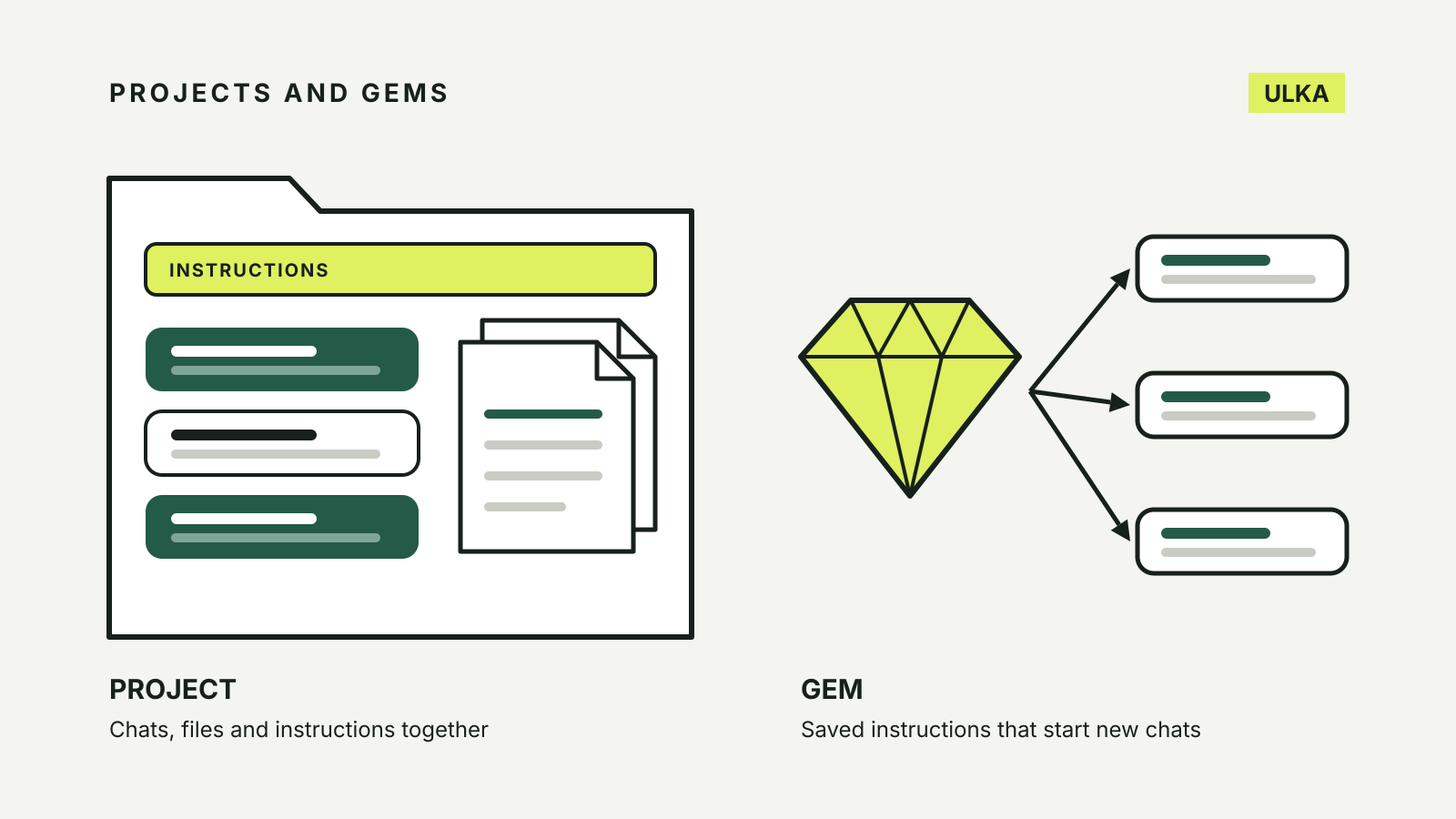
ChatGPT Projects, Claude Projects and Gemini Gems all save you from pasting the same background into every new chat, but they are not the same kind of tool. A project in ChatGPT or Claude is a workspace: related chats, files and instructions kept together. A Gemini Gem is a saved assistant: a name, instructions and optional files that you start new chats with. The right one depends on whether you are keeping a body of work together, repeating the same task, or sharing either with someone else.
This comparison is based on the help documentation published by OpenAI, Anthropic and Google, checked on 11 October 2026. Plan limits and features change often, so check your own account before relying on a detail.
The three at a glance
| ChatGPT Projects | Claude Projects | Gemini Gems | |
|---|---|---|---|
| What it holds | Chats, files and project instructions | Chats with their own history, a knowledge base and project instructions | Instructions and optional knowledge files |
| Who can use it | Signed-in users, subject to plan | Every plan; free accounts get up to five projects | Signed-in users; personal accounts 13+ |
| Sharing | All personal and business plans, with chat or edit access | Team and Enterprise plans only | Viewer or editor access |
| Context you can add | Uploads, plus Google Drive and Slack links | Uploaded documents, text and code | Uploads, Google Drive files, NotebookLM notebooks |
ChatGPT Projects
OpenAI describes projects as a way to keep related chats, files and instructions together so ChatGPT can use the same context. You can upload PDFs, spreadsheets, documents and images, or paste text. Project instructions apply only inside that project and override your general custom instructions.
A few details are useful in daily work:
- Existing chats can move in. You can drag a chat into a project and it takes on the project’s instructions and files. Chats created with a GPT can’t be moved.
- Answers can become sources. A summary or draft from a project chat can be saved as a project source and reused later.
- App links act as sources. You can paste links to Google Drive files and folders or Slack channels. OpenAI notes that the Google Drive app does not sync content in advance when added within a project.
Sharing is available on Free, Go, Plus, Pro, Business, Enterprise and Edu plans. Invitees get either chat access or edit access. On personal plans, OpenAI lists collaboration limits of up to 5 files and 5 collaborators on Free, 25 files and 10 collaborators on Plus and Go, and 40 files and 100 collaborators on Pro. Shared projects automatically use project-only memory, so they cannot draw on a member’s memories from outside the project.
Deleting a project permanently removes its chats, instructions and any files stored only in that project. Files saved separately in your Library stay.
Claude Projects
Anthropic describes projects as self-contained workspaces, each with its own chat history and knowledge base. You upload documents, text, code or other files to the knowledge base, and add project instructions, for example to ask for a more formal tone or for answers from the perspective of a particular role.
Projects are available on every plan, including free accounts, which can create up to five. On paid plans (Pro, Max, Team and Enterprise), Anthropic says a project switches to retrieval augmented generation when its knowledge nears the context limit, expanding capacity by up to 10 times.
The main limit for households and small teams is sharing. Anthropic says projects can be shared only on Team and Enterprise plans, with “Can view” and “Can edit” permission levels. A Pro or Max subscriber cannot share a project with a family member on another personal account.
Anthropic also says a new version of projects is in beta for select Pro and Max subscribers who use Claude Code, with chat and other plans to follow. Existing chat projects keep working as before.
Gemini Gems
Google’s Gems help page describes Gems as a way to create and save custom instructions that tailor Gemini’s responses to your needs. You create one on the web by giving it a name and instructions, and you can add knowledge files from your device, from Google Drive or from a NotebookLM notebook. A “Use Gemini to re-write instructions” option can expand short instructions for you.
Two details set Gems apart:
- Drive files stay current. Google says a Gem uses the most recent version of a file added from Drive, so edits to the document show up in the Gem. Adding Drive files requires Keep Activity to be on and Google Workspace to be connected to Gemini.
- A Gem follows you. A Gem created on the web appears in the Gemini mobile app and in the Gemini side panel in Google Workspace. For now, Gems can’t be used with Gemini Live.
Sharing a Gem works like sharing a Drive file. You choose Viewer or Editor access and can add an expiry date. Anyone with access can see the Gem’s instructions and uploaded files, and editors can change or delete the Gem. NotebookLM notebooks can’t be used as a source for a shared Gem.
Which one to use
A piece of work that runs over weeks. Renovation quotes, a thesis chapter or a job search produce many chats that build on each other. A project in ChatGPT or Claude keeps those chats and their files in one place.
A task you repeat with the same rules. Turning meeting notes into a summary email in your style, or checking a document against a fixed checklist, suits a Gem. You start a fresh chat with the same instructions each time.
Working with someone else on a personal plan. ChatGPT and Gemini both let you share on personal accounts. Claude limits project sharing to Team and Enterprise.
Reference files that keep changing. A Gem’s Drive files follow the latest version. In ChatGPT you can link Drive files and folders as project sources, with the sync limitation OpenAI notes.
If you are still choosing an assistant rather than a feature, start with our ChatGPT, Claude and Gemini comparison. Current plan prices in Australian dollars are in our AI subscription prices list.
Before you upload anything
Treat a project or Gem like a shared folder. Everyone you share it with can see its files and instructions, and editors can change them. Leave out documents you would not email to the same people.
Check your training and history settings too. For personal ChatGPT accounts, OpenAI says shared project data may be used to improve models only when the owner and every contributor have “Improve the model for everyone” turned on. Our guide to AI chatbot privacy settings shows where those controls sit in each service.