ChatGPT vs Claude vs Gemini file upload limits matter as soon as you try to hand an assistant a long report, a year of spreadsheets or a folder of images. All three accept documents and pictures, but they cap file size, the number of files and what they actually read inside a file in different ways. A file that uploads without an error can still be only partly read.
This comparison follows the upload help pages published by OpenAI, Anthropic and Google, checked on 19 October 2026. The three companies change these limits without much notice, so treat the numbers as a guide and check the help page if a file is close to a limit.
The limits at a glance
| ChatGPT | Claude | Gemini | |
|---|---|---|---|
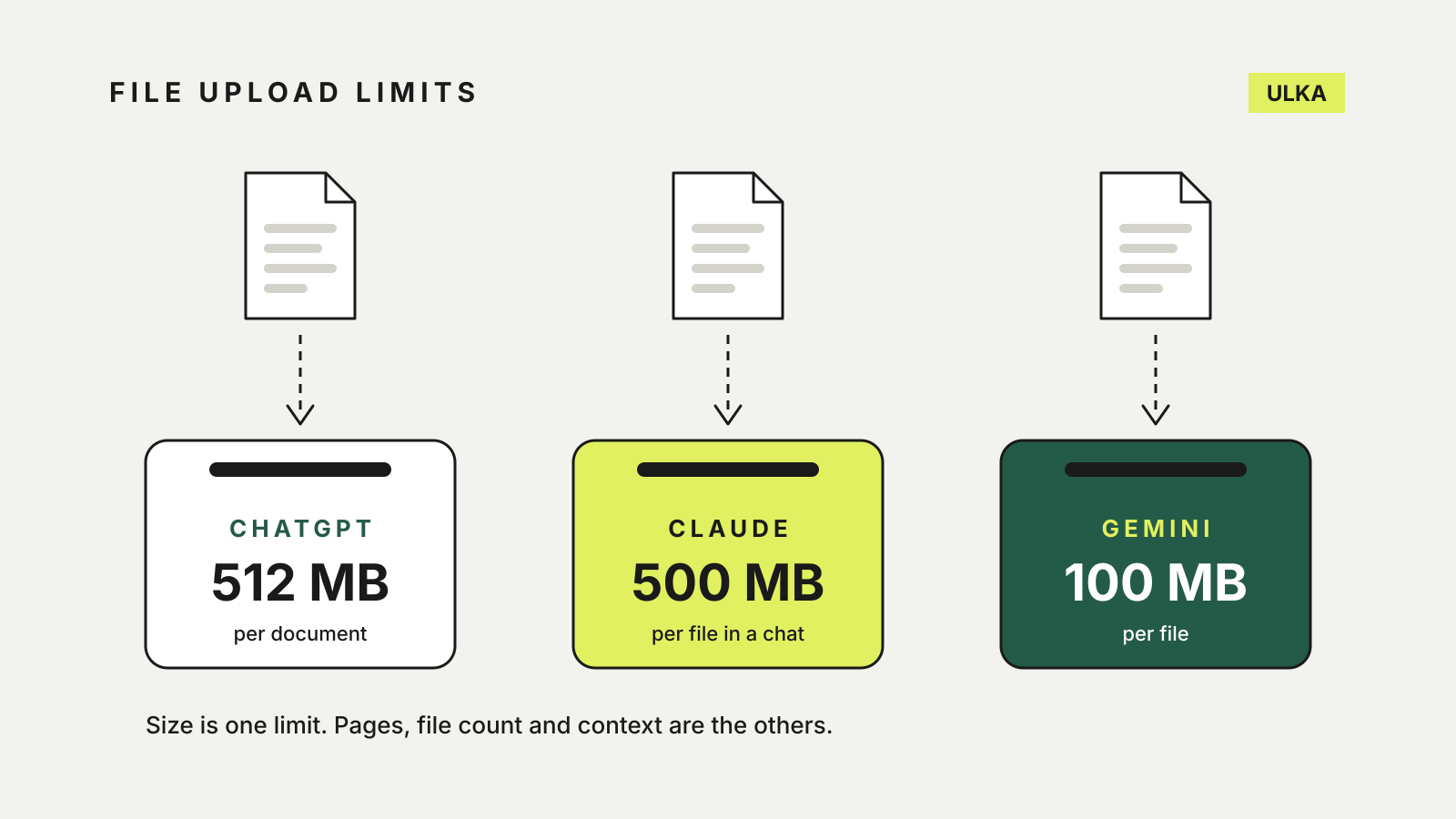
| Largest document | 512 MB, and 2 million tokens of text | 500 MB per file in a chat | 100 MB |
| Spreadsheets | About 50 MB, depending on row size | XLSX needs code execution switched on | 100 MB |
| Images | 20 MB each | Up to 8000 × 8000 pixels | 100 MB |
| How many files | 80 every 3 hours; 3 a day on Free | 20 per chat | 10 per prompt |
ChatGPT: big files, but a rolling upload quota
OpenAI’s upload help page lists DOCX, PDF and TXT documents, XLSX, XLS, CSV and TSV spreadsheets, and PPTX presentations. Google Docs files cannot be uploaded directly; export them as PDF or DOCX first.
Documents and presentations can be up to 512 MB, but text is capped at 2 million tokens per file, so a very long text file can hit that ceiling well before the size limit. Spreadsheets have a separate limit of roughly 50 MB, and images 20 MB each.
The limit most people meet first is the rate. You can upload up to 80 files every three hours, and the Free plan is limited to three uploads a day. OpenAI says it may lower these limits at busy times, and ChatGPT does not show how much of the quota you have left. Uploaded files also count towards a storage cap of 25 GB per user, which you can check under Settings > Storage. Projects have their own file limits: five files per project on Free, 25 on Go and Plus, and 40 on Pro and business plans.
Audio is the one category reserved for paid plans: recordings up to 512 MB can be uploaded on paid subscriptions, but not on Free.
Claude: generous chat uploads, tighter project files
Anthropic’s upload guide lists PDF, DOCX, CSV, TXT, HTML, ODT, RTF, EPUB, JSON and XLSX documents, plus JPEG, PNG, GIF and WebP images. XLSX files only upload once you enable code execution and file creation in your settings.
In a chat, each file can be up to 500 MB and you can attach up to 20 files. Two details decide how much Claude actually reads:
- PDFs: Claude analyses text and visuals, such as charts and images, in PDFs of up to 100 pages. From 101 to 1,000 pages it reads the text only, and PDFs longer than 1,000 pages are refused.
- Other documents: for files other than PDFs, Claude extracts the text only. Images embedded in a Word document, for example, are not read.
Files added to a project’s knowledge are capped at 30 MB each. There is no fixed number of project files, but Anthropic says their total content must fit within Claude’s context window.
Gemini: smaller files, more formats
Google’s Gemini upload page says the Gemini apps support most file types and allow up to 10 files in the same prompt. Each file can be up to 100 MB, except video, which can be up to 2 GB. Gemini can also take a ZIP file of up to 10 files and 100 MB, a code folder or a GitHub repository of up to 5,000 files and 100 MB, and files from Google Drive once Google Workspace is connected.
For video and audio, the limit is length rather than size. Without a paid plan, video can total five minutes and audio ten minutes; Google AI Pro and Ultra extend those to one hour and three hours.
The figure that most affects long documents is the context window, which Google publishes on its limits page: 32,000 tokens without a Google AI plan, 128,000 on AI Plus and 1 million on AI Pro and Ultra. Google warns that a file too large for the context window can produce an answer that misses connections or details. There are also rolling limits on chats with files, which reset after a while.
Which one fits your files
- A long report or book-length PDF: Claude reads up to 1,000 pages but analyses charts only up to page 100. On Gemini, the free context window is the tighter constraint; split the document or use a paid plan.
- Spreadsheets: ChatGPT and Gemini take them directly. On Claude, switch on code execution first if the file is XLSX, or save it as CSV.
- Many files in one go: Claude takes up to 20 files in a chat and Gemini 10 in a prompt. ChatGPT’s limit is a rolling 80 files every three hours, but only three a day on Free.
- Video and recordings: Gemini accepts video; ChatGPT accepts audio on paid plans only.
Whichever you use, check the answer against the file, especially for figures from large spreadsheets. Our guide to fact-checking AI answers shows how. If you upload the same reference files repeatedly, our Projects and Gems comparison covers keeping them in one place, and the AI chatbot privacy settings guide covers what happens to your chats.