ChatGPT, Claude and Gemini all let you hold a spoken conversation instead of typing, but the three voice modes are not interchangeable. They differ in where they run, whether they can see through your camera, how much use your plan allows and what happens to the audio afterwards.
This comparison uses the three companies’ own help pages, checked on 28 October 2026. Voice features roll out gradually and vary by plan, app version and region, so treat it as a guide to what each company documents rather than a promise of what your account shows today.
The short comparison
| ChatGPT Voice | Claude voice mode | Gemini Live | |
|---|---|---|---|
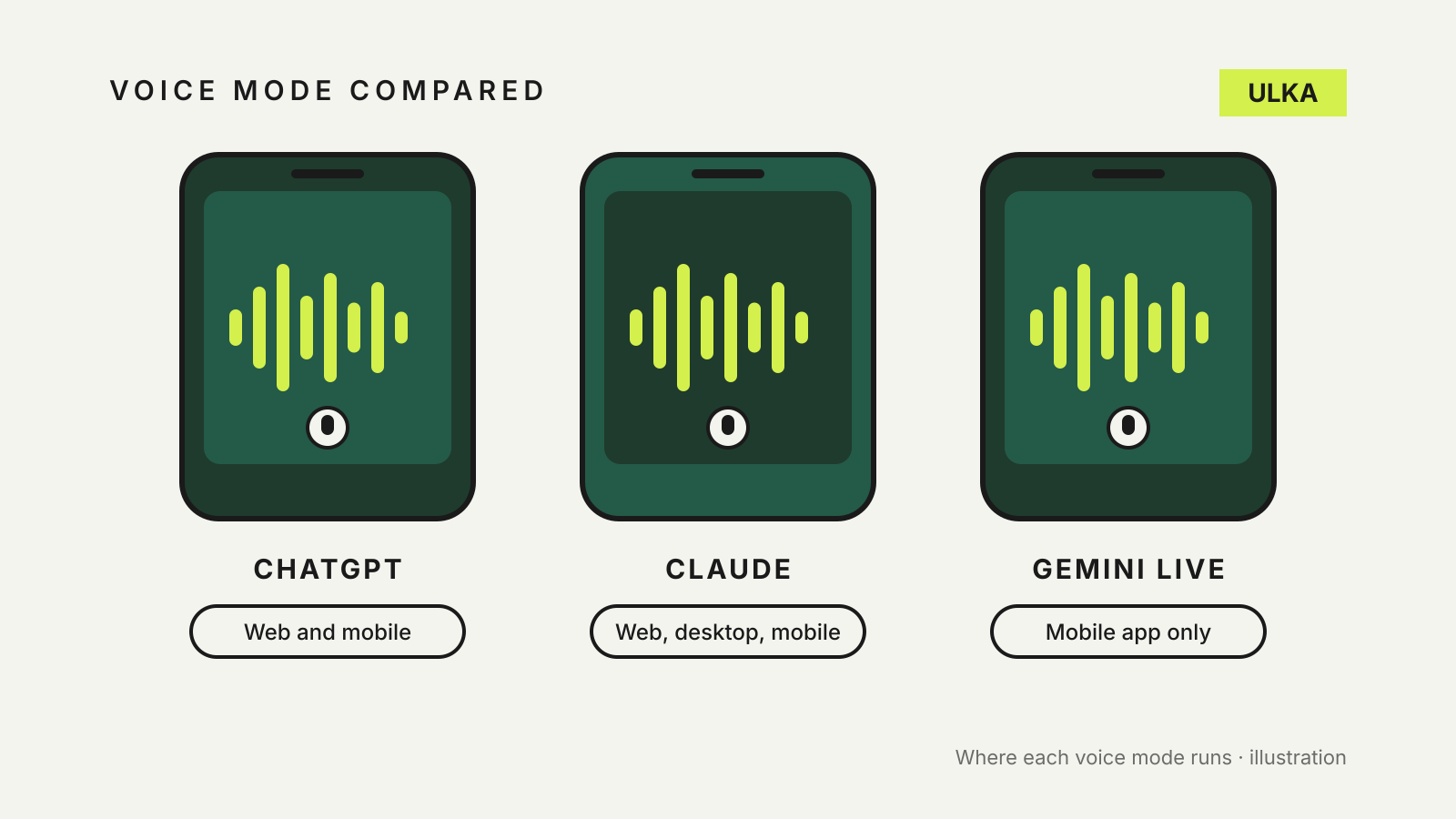
| Where it runs | iOS, Android and the web | iOS, Android, desktop app and the web | Android and iOS apps only |
| Interrupting | Yes, Live can listen while speaking | Yes, start talking and Claude stops | Yes, can be switched off in settings |
| Camera and screen | Advanced option on mobile, for eligible subscribers | Not documented | Camera and screen sharing documented on Android |
| Connected apps | Plugins and connected apps in Live | Your connected tools, such as Gmail and Slack | Google apps and some phone makers’ apps |
| Usage | Limits per rolling 24 hours, by plan | Counts toward your normal usage limits | Not specified on the help page |
| Afterwards | Transcript in the chat; audio clips kept 30 days | Text transcript in chat history | Transcript when you end the chat |
ChatGPT Voice: three options and clear limits
OpenAI’s help page on ChatGPT Voice describes three options under Settings > Voice:
- Live is the newest. It can listen and speak at the same time, use web search and memory, and work with text and images in the same chat. OpenAI says Live does not support video or screen sharing.
- Advanced is the previous real-time voice experience. It is the one to use when you need live video or screen sharing, which OpenAI lists for eligible subscribers in the iOS and Android apps.
- Standard is turn by turn: ChatGPT transcribes what you say, then answers.
To start, select the voice icon in the message bar on mobile or in the prompt window at chatgpt.com, allow microphone access and begin speaking.
ChatGPT is the only one of the three to publish usage allowances. Live use is measured over a rolling 24-hour period: limited access on Free, and three hours on Go and Plus. The Pro tiers allow considerably more. ChatGPT tells you when you reach a limit.
On privacy, OpenAI says audio clips from Live and Advanced conversations are stored with the transcript and kept for 30 days, and deleting the chat deletes its clips within 30 days, with exceptions set out in its privacy policy. With Standard, audio is deleted after transcription. OpenAI does not use the audio clips for training unless you turn on the separate options to include your audio or video recordings, although transcripts can be used if Improve the model for everyone is on.
Claude voice mode: works everywhere, shares your normal limits
Anthropic’s page on using voice mode says the feature is in beta and available on every plan, from Free to Enterprise, in the Claude mobile apps, Claude Desktop and on the web. Anthropic adds that it is built to work best from your phone.
On mobile, tap the sound-wave icon next to the microphone in the text box, choose a voice and start speaking. On the web and desktop, select the sound-wave symbol at the bottom right of the chat window.
Claude offers two ways to talk. Hands-free is the default: Claude listens continuously and replies at natural pauses. Push-to-talk has you hold a button while speaking, which Anthropic recommends for busy streets and crowded rooms.
Voice mode can use web search and the tools you have connected, such as Gmail, Google Calendar, Google Docs and Slack. Anthropic says Free plans can connect one tool and paid plans more. You can also switch between typing and talking in the same conversation without losing context, which helps when you need to type a web address or a code.
There is no separate voice allowance. Anthropic says voice conversations count toward your regular usage limits, and text transcripts are saved in your chat history like any other chat.
Gemini Live: built for the phone and its camera
Google’s help page for Gemini Live is clear that it is a mobile feature. For now, Google says, Gemini Live isn’t available in the Gemini web app. You need the Gemini app on Android, iPhone or iPad, and you must be over 13 or the applicable age in your country.
To start, open the Gemini app and tap Live at the bottom of the screen, or swipe left. On Android you can also say “Hey Google, let’s talk Live”.
Gemini’s strength is what it can see. On Android, Google documents sharing your camera to talk about what is in front of you, and sharing your full screen for help with whatever is on it. Screen sharing stops if Live is put on hold or you lock the phone.
Live can also use some connected apps and services, including Google Calendar, Keep, Tasks, Maps information, YouTube and Spotify, along with notes and calendar apps from several phone makers. On a work or school account, Google says only Calendar, Keep and Tasks currently work in Live. Two limits are worth knowing: Gems can’t be used with Gemini Live for now, and the personalised replies that draw on memory of past chats are listed as available only in English in the US.
You can turn off Interrupt Live responses in settings if Gemini keeps cutting in, and still interrupt by tapping the screen. Captions can be turned on from the Live screen.
Which one to use
- For talking through ideas on the go, all three work. Claude’s push-to-talk is a useful option in noisy places.
- For showing the assistant something, Gemini Live on Android and ChatGPT’s Advanced option are the two that document camera and screen sharing.
- On a computer, ChatGPT and Claude both offer voice in the browser; Gemini Live does not.
- If you watch your usage, ChatGPT publishes voice allowances per plan, while Claude’s voice use draws on the same limits as typing.
Whichever you pick, a spoken answer is no more reliable than a written one. OpenAI notes that voice transcripts are not verbatim records. Our guide on how to fact-check AI answers applies just as much when the answer arrives out loud, and ChatGPT vs Claude vs Gemini memory explains what each assistant remembers between conversations.