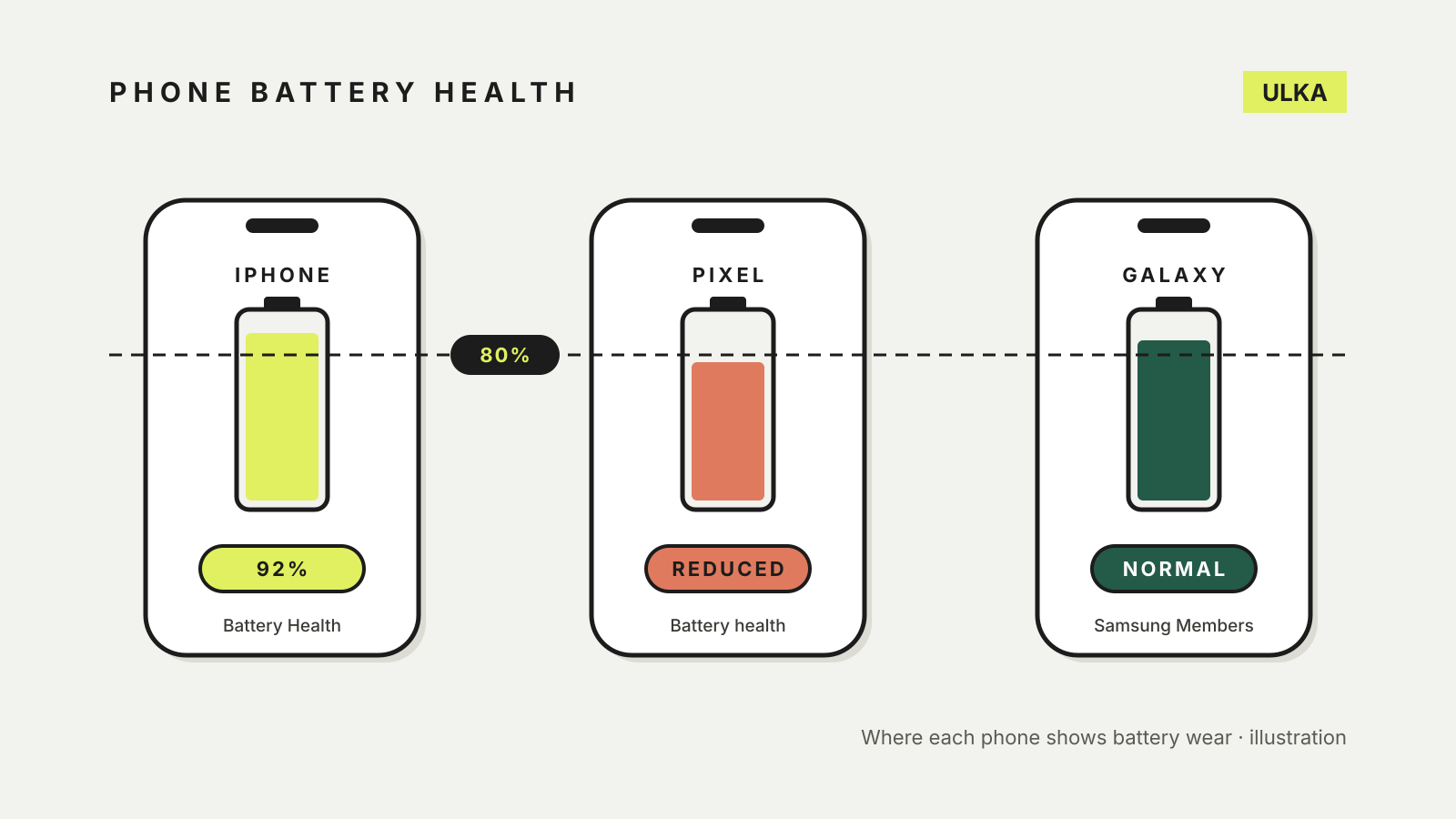
You can check phone battery health in Settings on an iPhone or a recent Pixel, and through the Samsung Members app on a Galaxy. Each gives you a verdict on whether the battery has worn enough to replace, and iPhones and newer Pixels also show a capacity percentage compared with when the battery was new. The figure to watch on all three is 80 per cent: that is where Apple and Google set their design targets and where Google switches the status to “Reduced”.
Battery wear is normal. Every lithium-ion battery holds less charge as it ages, so a phone that once lasted a day may need a top-up by mid-afternoon. Checking the reading tells you whether a battery replacement is likely to fix that, or whether the cause lies elsewhere. Apple, Google and Samsung support pages were checked on 22 October 2026.
The quick paths
| Phone | Where to look | What you see |
|---|---|---|
| iPhone 15 and later | Settings > Battery > Battery Health | Maximum capacity, cycle count, manufacture and first-use dates |
| iPhone 14 and earlier | Settings > Battery > Battery Health & Charging | Maximum capacity and peak performance capability |
| Pixel 8a and later | Settings > Battery > Battery health | Normal or Reduced, plus estimated capacity |
| Pixel 8a and later (cycles) | Settings > About phone > Battery information | Cycle count and manufacture date |
| Samsung Galaxy | Samsung Members > Support > Phone diagnostics > Battery status | Normal, Weak or Bad |
iPhone
Apple’s battery and performance page defines maximum capacity as the battery’s capacity relative to when it was new. A brand-new phone can show slightly under 100 per cent, depending on how long it sat between manufacture and activation.
On an iPhone 15 or later, open Settings, tap Battery, then Battery Health. Apple’s iPhone 11 and later page says these models, on iOS 17.4 or later, also show the cycle count, when the battery was manufactured and when it was first used, and whether a replacement is recommended. On an iPhone 11, 12, 13 or 14, the menu is called Battery Health & Charging.
Apple’s design targets differ by generation:
- iPhone 14 models and earlier: designed to keep 80 per cent of original capacity at 500 complete charge cycles under ideal conditions.
- iPhone 15 models: designed to keep 80 per cent at 1000 complete charge cycles.
A charge cycle means using the equivalent of 100 per cent of the battery, which can be spread over several days. If you see Service next to Battery Health, Apple’s battery drain advice says to consider a replacement.
The Battery Health screen also has a Peak Performance Capability section. Apple explains that an aged battery may struggle to deliver peak power, and that on older models iOS can manage performance to prevent unexpected shutdowns.
Google Pixel
Google’s Pixel battery page puts battery health under Settings > Battery > Battery health, with a status of Normal, Reduced or Unavailable. Tap Battery capacity on the same screen for the estimated percentage. Google defines Reduced as capacity below 80 per cent and recommends considering a replacement at that point.
The full readout is only on the Pixel 8a and later. Google says the Pixel 6a, 7, 7 Pro, 7a, 8 and 8 Pro do not show a battery health status. On a Pixel 8a or newer, the cycle count is under Settings > About phone > Battery information.
Google’s ratings:
- Pixel 3 to Pixel 8 Pro, and the original Pixel Fold: should keep up to 80 per cent capacity for about 800 charge cycles.
- Pixel 8a and later: about 1000 charge cycles.
On older Pixels, Google’s device health page offers another route. On a Pixel 6 or later, open Settings > Device health & support for an overall device status and battery or charging diagnostics.
Samsung Galaxy
Samsung’s Australian battery status guide uses the Samsung Members app rather than a Settings screen:
- Open Samsung Members and tap the Support tab.
- Under Phone diagnostics, tap Get started.
- When the diagnostic finishes, tap Battery status.
The result is one of three ratings. Normal means no performance issues. Weak means efficiency may have dropped through long-term use or conditions. Bad means the battery has degraded significantly, and Samsung suggests contacting a Samsung service centre. A second Samsung page adds that a Galaxy may show its own battery degradation alert when performance drops sharply. If the diagnostics page will not open, Samsung suggests trying the Samsung Internet app. Samsung gives no capacity percentage on these pages, so the rating is the figure to go on.
What the number means for you
An 85 per cent battery is not faulty; it simply holds less than it used to. Replacement makes sense when the phone shows Service, Reduced or Weak/Bad, or when daily battery life no longer suits how you use the phone. If the rest of the phone is fine and still receiving security updates, a battery replacement can keep it going for longer. Our phone upgrade checklist and the guide to how long phones get security updates help with that decision.
A healthy battery that drains quickly points to apps or settings instead. Apple’s battery drain page suggests checking the Daily Usage chart under Settings > Battery and using Low Power Mode.
Slowing the wear
Both Apple and Google build in features that limit time spent at full charge:
- iPhone 15 and later: Apple’s charging page says you can set a Charge Limit between 80 and 100 per cent under Settings > Battery > Charging. At 100 per cent, Optimized Battery Charging delays charging past 80 per cent when the phone expects to be plugged in for a while.
- Pixel: Google’s battery life page lists Adaptive Charging and Limit to 80% under Settings > Battery > Battery health > Charging optimization. Google adds that a Pixel needs a full charge every tenth cycle to keep capacity readings accurate.
Heat matters as well. Google suggests charging somewhere cool, around 25°C. Apple’s charging and maintenance page warns that ambient temperatures above 35°C can permanently reduce battery lifespan.