A phone upgrade makes sense when your current handset no longer receives needed security updates, cannot reliably do your daily work, or costs too much to repair. A tired battery alone may be fixable. For Australian buyers, the useful starting point is a short list of actual problems, followed by a repair quote and a check of the exact replacement model.
A new camera mode or a brighter display might be welcome, but neither explains why your present phone dies before the train home. Diagnose that problem first. You may need a battery, a change to one troublesome app, or a different handset altogether.
Start with the support remaining
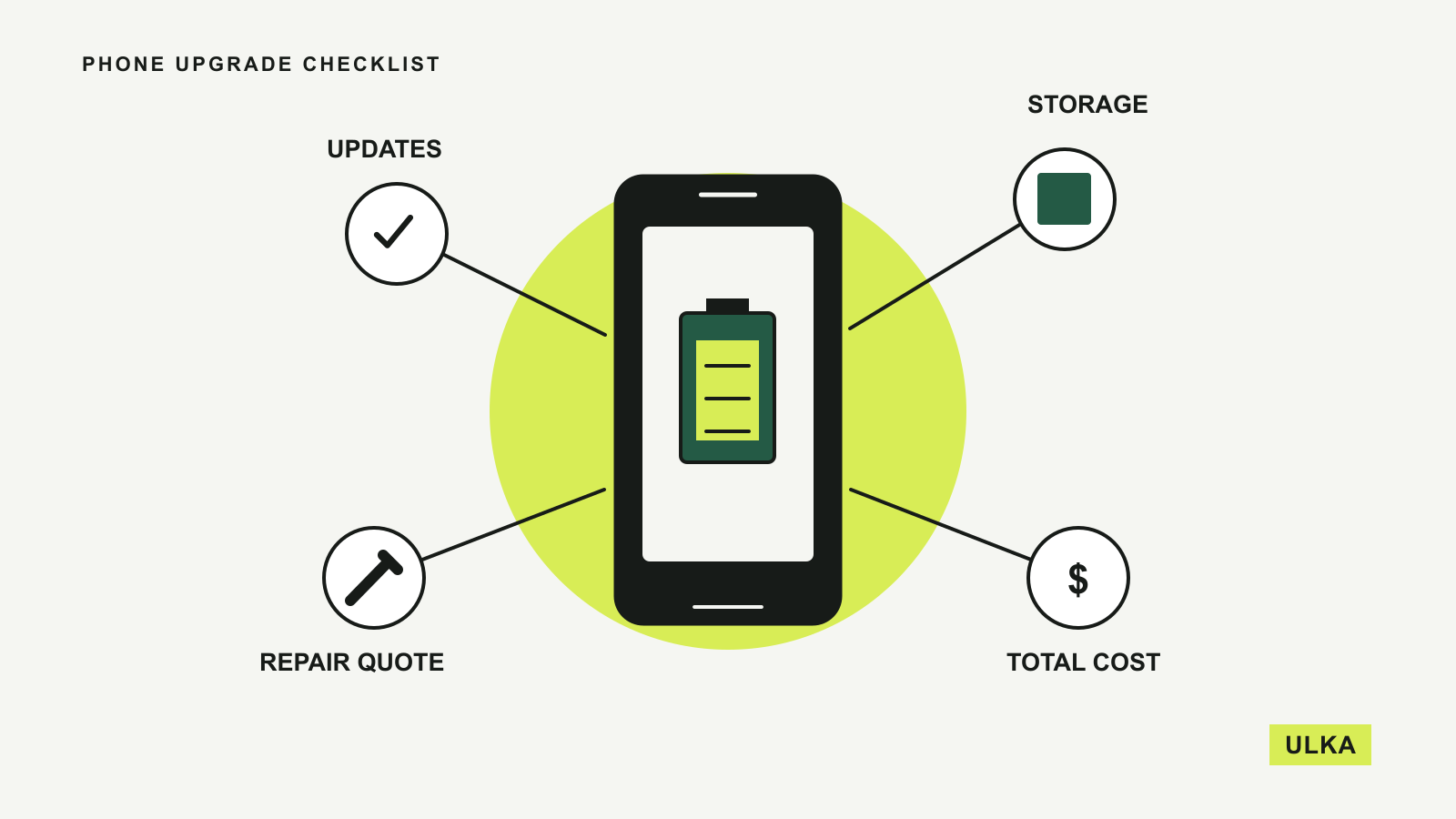
Find your model name in Settings and look up its manufacturer’s update policy. Check the security-update commitment separately from promises about new features. A phone can still open its apps after updates stop, but continued operation does not establish that it is receiving fixes.
Google’s current Pixel update policy, checked on 26 September 2026, gives Pixel 8 and later phones seven years of operating-system and security updates. The clock starts when the model first became available through the US Google Store, not when you buy it. That distinction matters when a discounted phone has already spent several years on sale.
Other models have different commitments. Use the policy for the exact device, including its regional version, and check its installed security-update date. If you are buying used, calculate the remaining support period before comparing its price with a newer alternative.
Updates are also a reason to investigate delays instead of assuming abandonment. Google says Pixel releases arrive gradually and can depend on the carrier and device. An update arriving later than a friend’s is not, by itself, proof that your handset has reached the end of support.
A battery problem deserves a repair quote
Short battery life can come from an ageing battery, heavy background activity or a temporary change in software behaviour. Look at the battery-usage screen and identify whether one app accounts for an unusual share of consumption. Check the manufacturer’s diagnostics before deciding that the whole device is worn out.
Apple’s battery guidance for recent iPhones explains that battery ageing can affect performance as well as runtime. On iPhone 15 and later running iOS 17.4 or later, Battery Health in Settings shows capacity and whether replacement is recommended. Earlier supported models use a differently named Battery Health & Charging screen.
Google’s battery-drain guidance also notes that optimisation after an update can temporarily increase consumption. Persistent problems deserve investigation, but a single poor day immediately after an update is weak evidence for an upgrade.
Ask for a written battery-replacement quote that identifies the model, parts, labour and repair warranty. Compare that with how long you expect to keep the phone and its remaining software support. A repair is more compelling when the camera, screen, storage and charging port already meet your needs. Several expensive faults can change the calculation.
Check storage before paying for more
Open the storage breakdown and distinguish photographs, downloaded media, apps and app data. A handset filled with offline video has a different problem from one whose essential apps leave little working space.
Before removing photographs, confirm that you have a usable backup and understand whether deleting an item also deletes its synchronised cloud copy. Open a sample of backed-up files from another device. A storage subscription is an ongoing cost, while a larger phone is an upfront purchase; compare both over the period you expect to keep the handset.
If storage pressure returns after a sensible clean-up, use your current consumption to choose the next capacity. Leave room for the videos and applications you actually expect to add. Buying the smallest option because a cloud service exists can be frustrating when your important files need to remain available offline.
Buy for a specific improvement
Write down the tasks your phone fails. Perhaps the camera struggles with moving children indoors, the screen is difficult to read outside, or a work application is no longer supported. These descriptions are more useful than a general wish for a faster processor.
For a camera purchase, compare the lens and shooting situation you need. A long telephoto lens may help with distant subjects while adding little to a habit of photographing documents. Try the size and weight in person where possible, including one-handed typing and the reach to commonly used controls.
For an Australian purchase, check the exact model with your mobile provider, especially if it is imported. Confirm local network compatibility, calling support and SIM or eSIM arrangements. Also check who handles repairs and returns locally. A familiar product name does not establish that every regional version has identical support.
Compare the full switch, then prepare your data
Use the total amount payable across a handset plan to compare it with buying the phone separately and keeping a suitable mobile plan. Include accessories you genuinely need, any remaining device payments and a trade-in estimate that reflects your phone’s condition. Promotional monthly pricing can obscure those differences.
Before handing over the old device, verify that your photographs, contacts and important files are accessible on the replacement. Check the transfer procedure for your password manager and authenticator, then test account recovery. Banking apps and work accounts may have their own activation steps.
Keep the old phone until essential services work on the new one, if your purchase arrangements allow it. Then follow the manufacturer’s instructions for signing out and erasing it. An upgrade is complete when your everyday tasks work again, including the less visible accounts you rarely open.
If your next purchase is a computer, our guide to how much RAM you need applies the same approach: identify the workload before choosing a specification.
Questions
How often should I replace my phone?
There is no universal interval. Remaining security support, reliability, repair cost and the tasks you need are more useful criteria than age alone.
Is a battery replacement worth it?
It can be when the battery is the main fault and the phone still meets your needs. Compare an actual repair quote with remaining software support and any other problems.
Does an older phone get a fresh update period when I buy it?
Usually the manufacturer’s support clock follows the model’s release policy. Google explicitly measures its Pixel commitment from first availability on the US Google Store.
Should I erase my old phone before the new one arrives?
Wait until you have verified backups and account access on the replacement where possible. Follow the manufacturer’s transfer and erasure instructions before selling or recycling the old handset.
Sources
Manufacturer guidance checked on 26 September 2026: