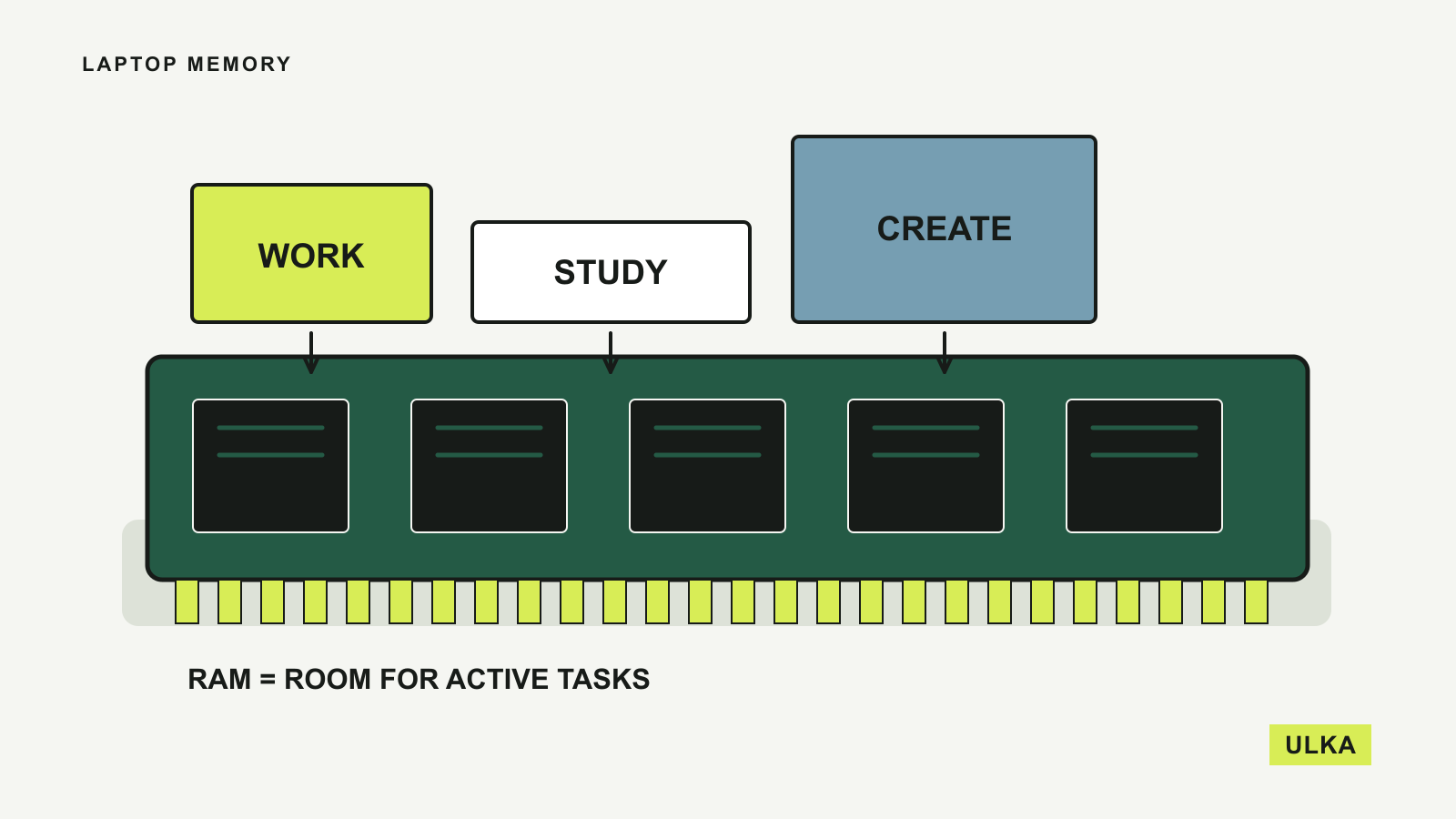
For a new general-purpose laptop, 16 GB of RAM is a sensible starting point for study, office work and everyday multitasking. Consider 32 GB when demanding applications run together or your video, development or creative work already approaches that capacity. These are buying guidelines, not universal performance guarantees: your applications and the laptop’s upgrade options should decide the final choice.
An existing 8 GB laptop does not need replacing simply because a larger configuration is available. If it handles your normal work without disruptive delays, keep using it. A new purchase needs a little more thought because the memory you choose may have to last for the life of the machine.
The operating-system minimum is a starting line
Microsoft lists 4 GB as the minimum RAM for Windows 11. Its specifications also warn that individual applications and features can require more. Meeting the installation requirement tells you little about how a computer will feel with a video meeting, several documents and a busy browser running together.
The same Microsoft page sets a separate 16 GB memory minimum for Copilot+ PCs, alongside processor, NPU and storage requirements. That is a definition for a device category, not proof that every workload needs a Copilot+ PC or that every 16 GB computer qualifies.
These official requirements were checked on 26 September 2026. Treat a retailer’s headline specification as the beginning of your comparison. Look at the software you use most often, including any specialised course or workplace applications, and read its current recommended requirements.
RAM and storage solve different problems
RAM holds the working data that applications need while they are running. Storage holds your files and installed software over time. A larger SSD can accommodate more photographs and projects without giving applications an equal amount of additional working memory.
Modern operating systems can compress memory and move some data between RAM and storage. That helps manage demand, but it does not make the two interchangeable. Apple describes both compressed memory and disk-based swap in its Activity Monitor guidance.
This also explains why a simple reading of “memory used” can be misleading. Apple notes that otherwise unused memory can cache files to improve performance. A nearly full bar does not automatically mean that you have run out of useful capacity.
Look for a connection between memory pressure and the problem you experience. Does switching applications repeatedly stall? Does closing a demanding application make the rest of the system responsive again? These observations are more useful than checking a single percentage while the computer is idle.
Choose capacity around your busiest normal session
For everyday work, our preference for 16 GB leaves more room for overlapping applications than an entry-level 8 GB configuration. The relevant workload is your normal busy afternoon, including the meeting app, browser, documents and background tools you actually leave open.
An 8 GB machine can still be a reasonable constrained-budget choice for light tasks, especially when you understand its limits and have tried the required applications. Avoid paying for an expensive chassis or processor while accepting too little memory for essential work. Check whether the saving remains attractive once you compare the complete configurations.
For heavier creative work, the software publisher’s guidance becomes more useful than a general laptop rule. Adobe’s Photoshop requirements, checked on 26 September 2026, list 8 GB minimum and 16 GB or more recommended. Large files and several creative applications can still justify additional headroom.
Adobe’s Premiere requirements, updated 16 September 2026, recommend 16 GB for HD media and 32 GB or more for 4K and higher in its Windows table. Its Apple-silicon table separately recommends 16 GB of unified memory. Those platform-specific specifications should not be flattened into a claim that one number guarantees every editing project will run well.
For development, virtual machines and local AI tools, check each tool’s workload guidance. Several environments running simultaneously can change the memory requirement substantially. A browser-based chatbot and a model running locally on your laptop do not place the same demands on your hardware.
Check your current workload before ordering
Open the applications and files you usually use together, then observe the laptop while repeating a representative task. On a Mac, Activity Monitor’s Memory tab shows memory pressure, compressed memory and swap use. Apple’s explanation makes clear that pressure accounts for several factors, rather than simply measuring free RAM.
On Windows, Task Manager’s memory information provides a starting point for seeing how demand changes as applications open. Close one major application at a time and repeat the task. A persistent problem might also involve storage, processor load, software behaviour or the network, so a slow computer is not automatically a case for buying more RAM.
If you cannot test the new model yourself, compare machines with the same application workload and memory configuration in credible reviews. Results from a higher-memory review unit do not establish how the cheaper version behaves. Keep those configuration differences visible when you compare prices.
Find out whether memory can be upgraded
Some laptops have replaceable memory modules; others have memory integrated into the board or processor package. Check the manufacturer’s service documentation for the exact model and configuration before purchase. A retailer saying that a laptop is “upgradeable” may be referring only to storage.
If memory is fixed, choose for the work you reasonably expect to do over the ownership period. If it is replaceable, check the supported capacity, available slots and the cost of compatible modules. Do not assume an empty slot exists from the total capacity alone.
There is little value in spending your entire budget on memory while accepting a screen, keyboard or battery life that makes everyday work uncomfortable. Once capacity is adequate, those characteristics may affect your experience more. For gaming, also distinguish the game’s local hardware requirements from cloud gaming’s network and service requirements.
Questions
Is 16 GB of RAM enough for a laptop?
It is a useful starting point for general work and study. Demanding creative projects, virtual machines and heavy multitasking may justify more, so check the requirements of your actual applications.
Will 32 GB make every application faster?
Extra capacity helps when insufficient memory is constraining the workload. It does not automatically improve a task limited by the processor, graphics hardware, storage or network.
Is unified memory the same as replaceable laptop RAM?
It is a memory architecture with different hardware arrangements, not a promise that a smaller capacity always matches a larger one. Check the specific computer’s workload requirements and upgrade documentation.
Can I add RAM after buying a laptop?
Only if that model supports it. Verify the exact configuration in its manufacturer’s service information before relying on a future upgrade.
Sources
Specifications and guidance checked on 26 September 2026: