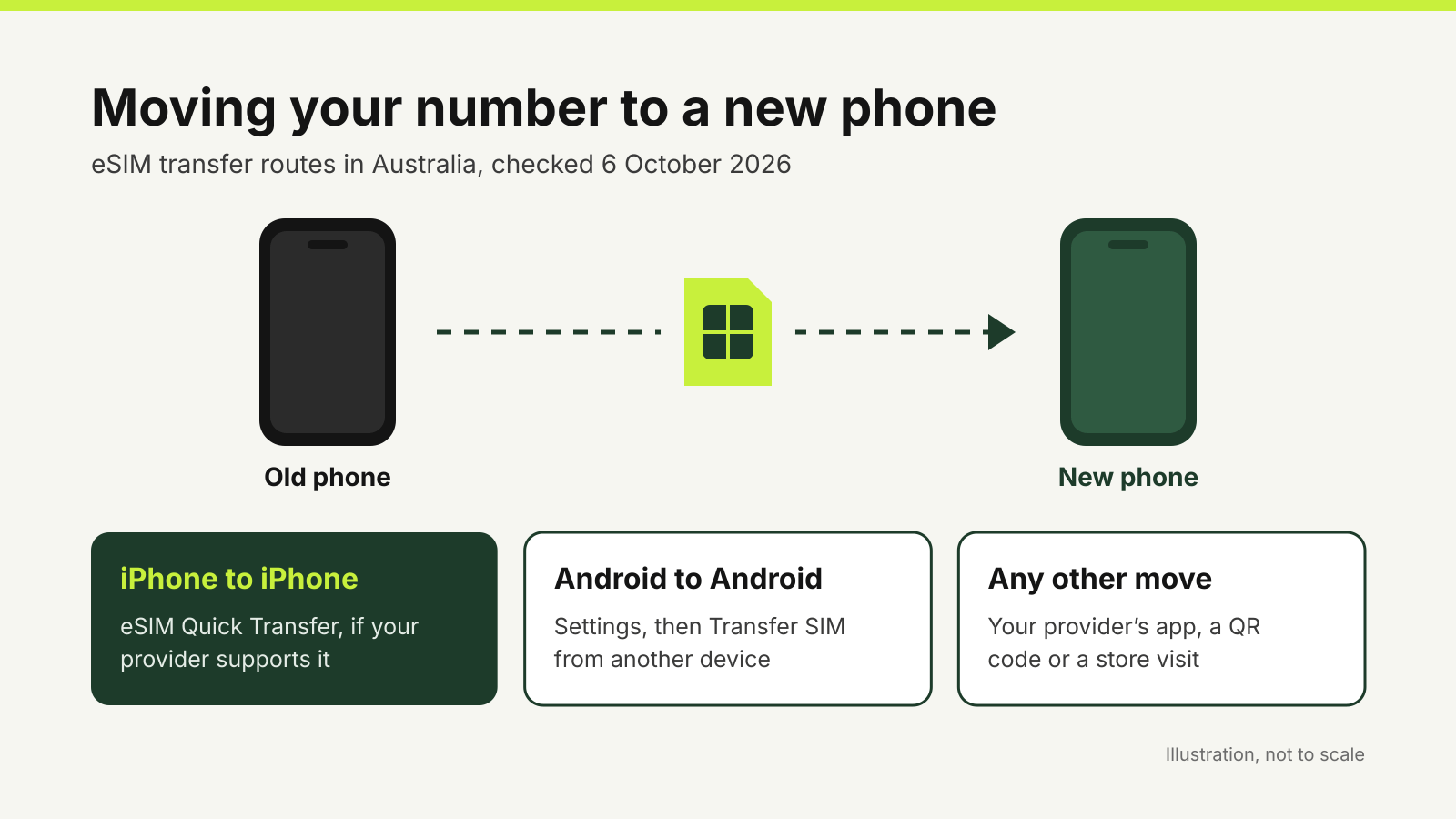
Moving your number to a new phone by eSIM transfer in Australia takes a few minutes when you have both phones, Wi-Fi and access to your provider account. The route depends on the move. Between two iPhones, Apple’s eSIM Quick Transfer can move the number without a call to your provider, if your provider supports it. Between two Android phones, Android has its own transfer step. For anything else, your provider’s app, a QR code or a store visit does the job.
Whichever route you take, keep the old phone switched on, charged and connected until the new one makes calls. Your provider may send a verification code to your current number, and that phone may be the only place it can arrive.
Why your provider checks who you are
Moving a number to a new SIM or eSIM is what Australian telecommunications rules call a SIM swap. Under the Telecommunications Service Provider (Customer Identity Authentication) Determination 2022, a SIM swap is a high-risk customer transaction, and providers must confirm your identity with multi-factor authentication before they carry it out. The Australian Communications and Media Authority’s summary of the rules gives an example: your account username and password plus a one-time code sent to your mobile number or the provider’s app.
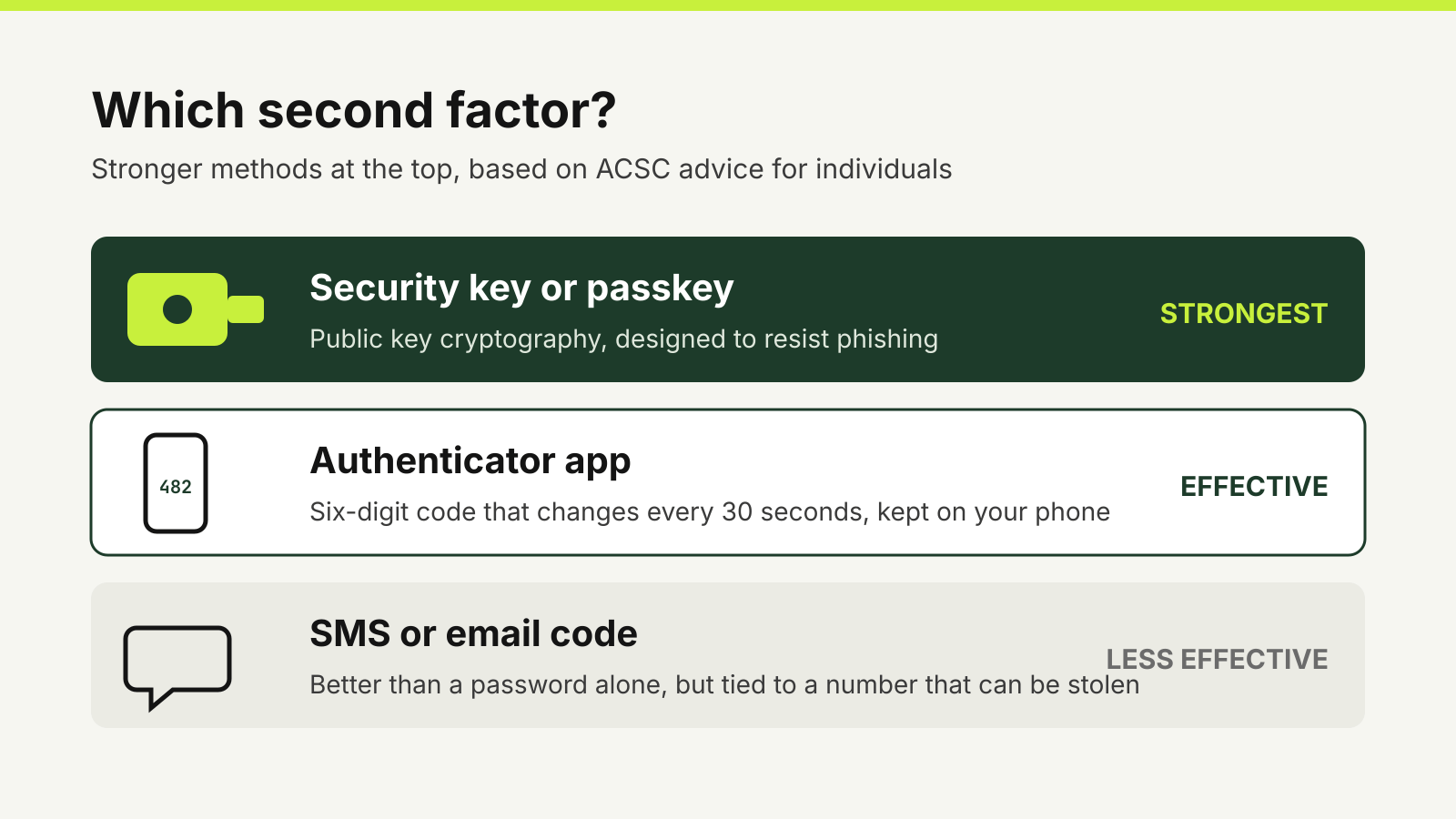
The rules exist because scammers use SIM swaps to take over a number and receive the codes for bank and email accounts. If you get a message about a SIM swap you did not request, contact your provider straight away. It is also a reason to move important accounts off SMS codes where you can, as our guide to authenticator apps versus SMS codes explains.
Before you start
- Check the new phone supports eSIM in Australia. Telstra’s compatibility page says most devices released after 2020 support eSIM, but a phone bought overseas may not work with eSIM here.
- Update both phones and install your provider’s app (My Telstra, My Optus or My Vodafone) on the new one, signed in to your account.
- Connect both phones to Wi-Fi. The new phone downloads its eSIM profile over the internet before it has mobile service.
- Do not delete the eSIM on the old phone yet. Telstra says you can delete it once the transfer is complete, and that doing so then will not affect the new phone.
- Move your authenticator app and other two-factor methods first, while the old phone still works.
iPhone to iPhone: eSIM Quick Transfer
Apple’s eSIM support page lists four conditions: both iPhones signed in with your Apple Account, the old iPhone unlocked with its passcode, both nearby with Bluetooth on, and both on iOS 18.4 or later. During setup, the new iPhone may offer to transfer your number. If you skip that, you can do it later:
- On the new iPhone, open Settings and tap Mobile.
- Tap Set Up Mobile or Add eSIM.
- Choose the number to transfer, or tap Transfer From Nearby iPhone if you cannot see a list.
- On the old iPhone, tap Transfer, or enter the code shown on the new iPhone.
Apple says the old SIM is deactivated when the plan on the new iPhone activates. If a banner asks you to finish setting up your provider’s plan, it takes you to your provider’s web page to complete the transfer.
Telstra’s eSIM transfer page describes the same steps for its customers, with identity verification on the new phone. If the iPhone says your number cannot be transferred, Telstra suggests finishing the setup and using Transfer or restore eSIM in the My Telstra app instead.
Android to Android
Google’s SIM transfer help says both phones need Android 12 or later, the current version of Google Play services and a screen lock set up. Depending on your provider, the transfer may happen during setup. Otherwise, on the new phone open Settings, then Network & internet, SIMs, Add SIM and Transfer SIM from another device. Google notes that the old phone and eSIM can keep working if the transfer fails, and that you should contact your provider if the phone does not detect an eSIM transfer.
Between Android and iPhone
Since iOS 26, Apple says some providers and phone makers support moving an eSIM from Android to iPhone, and back. You need an iPhone 11 or later on iOS 26 or later and a compatible Android phone. On the iPhone, open Settings, tap Set Up Mobile and then Transfer from Android, and scan the QR code that appears with the Android phone’s camera. If your provider does not support this, Apple’s advice is to contact the provider, which can issue the eSIM through its own activation process or a QR code.
Using your provider’s app
Each of the three network operators lets you move an eSIM through its app. The menu names below come from their own help pages.
- Telstra. In My Telstra on the new phone, go to Services, then Set up or manage eSIM, then Transfer or restore eSIM. Only the account owner sees this option; Telstra says a Full Authority contact needs to visit a store with photo ID. Telstra’s eSIM troubleshooting page says a restored profile can take up to four hours to activate.
- Optus. Optus’s eSIM page says to log in to My Optus on the new phone and tap Account, then SIM Management, then Transfer or Restore eSIM. For prepaid eSIMs, it says to contact Optus support first to deactivate the eSIM on the old phone, then download the profile in the app on the new one.
- Vodafone. Vodafone’s SIM swap page says to open My Vodafone on the new phone, select Account, then SIM and call settings, then Swap to eSIM, and follow the prompts. Your old SIM stops working once the swap completes.
If none of these work, all three providers offer help by phone or in store.
Changing provider at the same time
Moving to a new provider as well as a new phone is a port, not a SIM swap, and a separate ACMA standard sets the identity checks for it. Start with the new provider’s eSIM activation on the new phone. Vodafone’s eSIM help warns that you may see a different number in the new eSIM profile while the transfer is under way, and that deleting the profile will stop the transfer. Telstra says mobile number transfers are typically completed within four business hours.
After the move
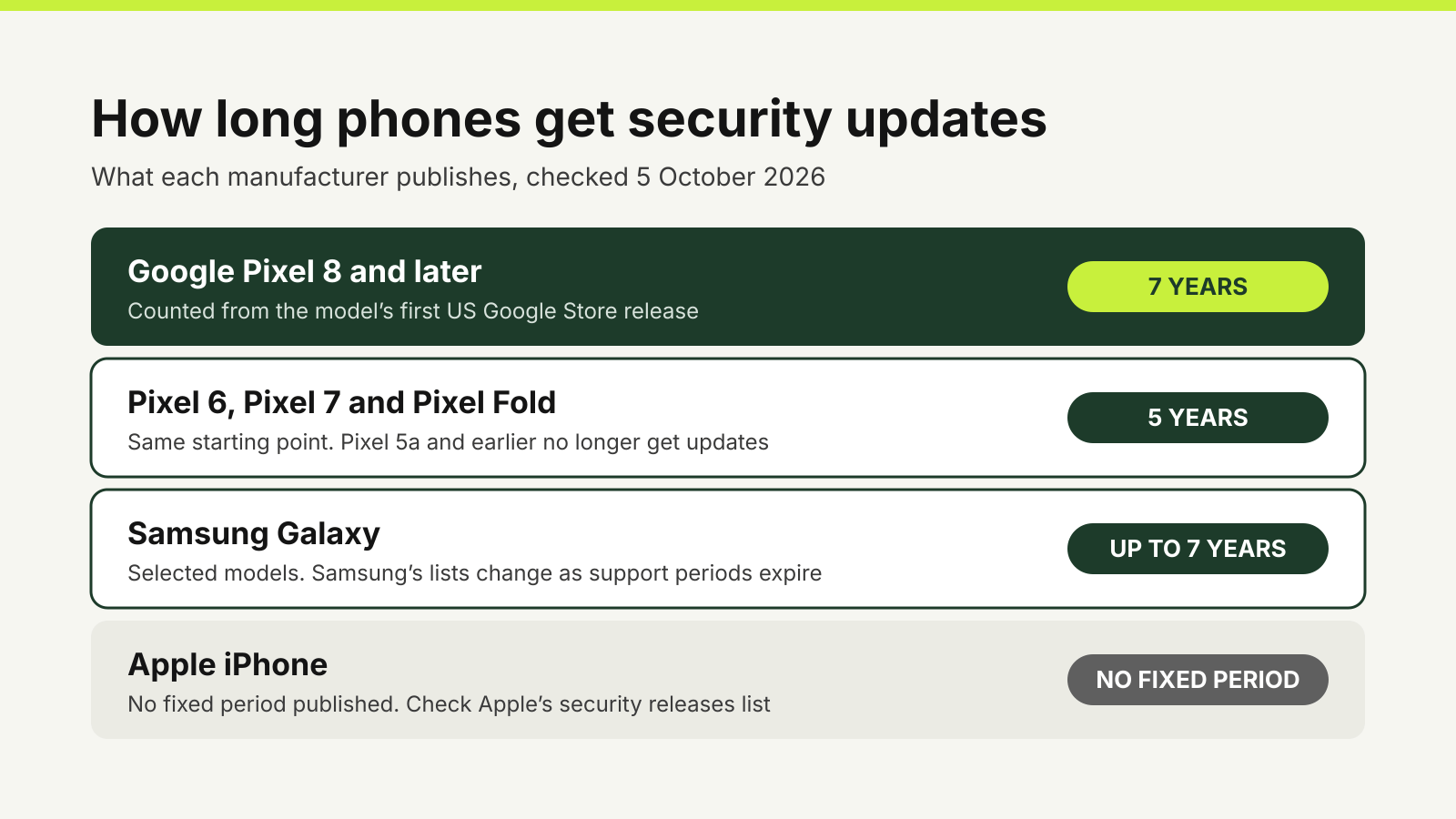
Make a test call and send a text from the new phone, then check that apps tied to your number, such as banking and messaging apps, still sign in. Only then delete the eSIM from the old phone and reset it. If you are still choosing the new handset, check how long it will get security updates and work through our phone upgrade checklist.
Questions
Can I transfer an eSIM to a new phone myself?
Usually, yes. iPhone to iPhone moves can use eSIM Quick Transfer, Android to Android moves have a Transfer SIM option in Settings, and Telstra, Optus and Vodafone each offer an eSIM transfer or swap in their apps.
Do I need my old phone to move my eSIM?
It helps a great deal. Quick Transfer and Android’s transfer need both phones nearby, and providers often send a verification code to your number. If the old phone is lost or broken, contact your provider.
How long does an eSIM transfer take?
It varies. Vodafone says to allow a couple of minutes after a swap, Telstra says a restored eSIM profile can take up to four hours to activate, and mobile number transfers between providers are typically completed within four business hours.
Can I move an eSIM from Android to iPhone?
Sometimes. With iOS 26 or later, some providers and phone makers support a direct transfer. If yours does not, ask the provider for a new eSIM by QR code or carrier activation.
Sources
Official guidance checked on 6 October 2026:
- Apple: Set up an eSIM on your iPhone.
- Apple: Transfer your eSIM from Android to iPhone.
- Google: Transfer a SIM to a new phone.
- Telstra: How do I transfer an eSIM between devices?
- Telstra: What devices are compatible with eSIM?
- Telstra: Fix an issue with my service on eSIM.
- Telstra: Activate and download my service on eSIM.
- Optus: eSIM.
- Optus: Prepaid eSIM.
- Vodafone: Managing your eSIM.
- Vodafone: Swapping your SIM to a new pSIM or eSIM.
- ACMA: Customer identity authentication rules.
- Federal Register of Legislation: Telecommunications Service Provider (Customer Identity Authentication) Determination 2022.