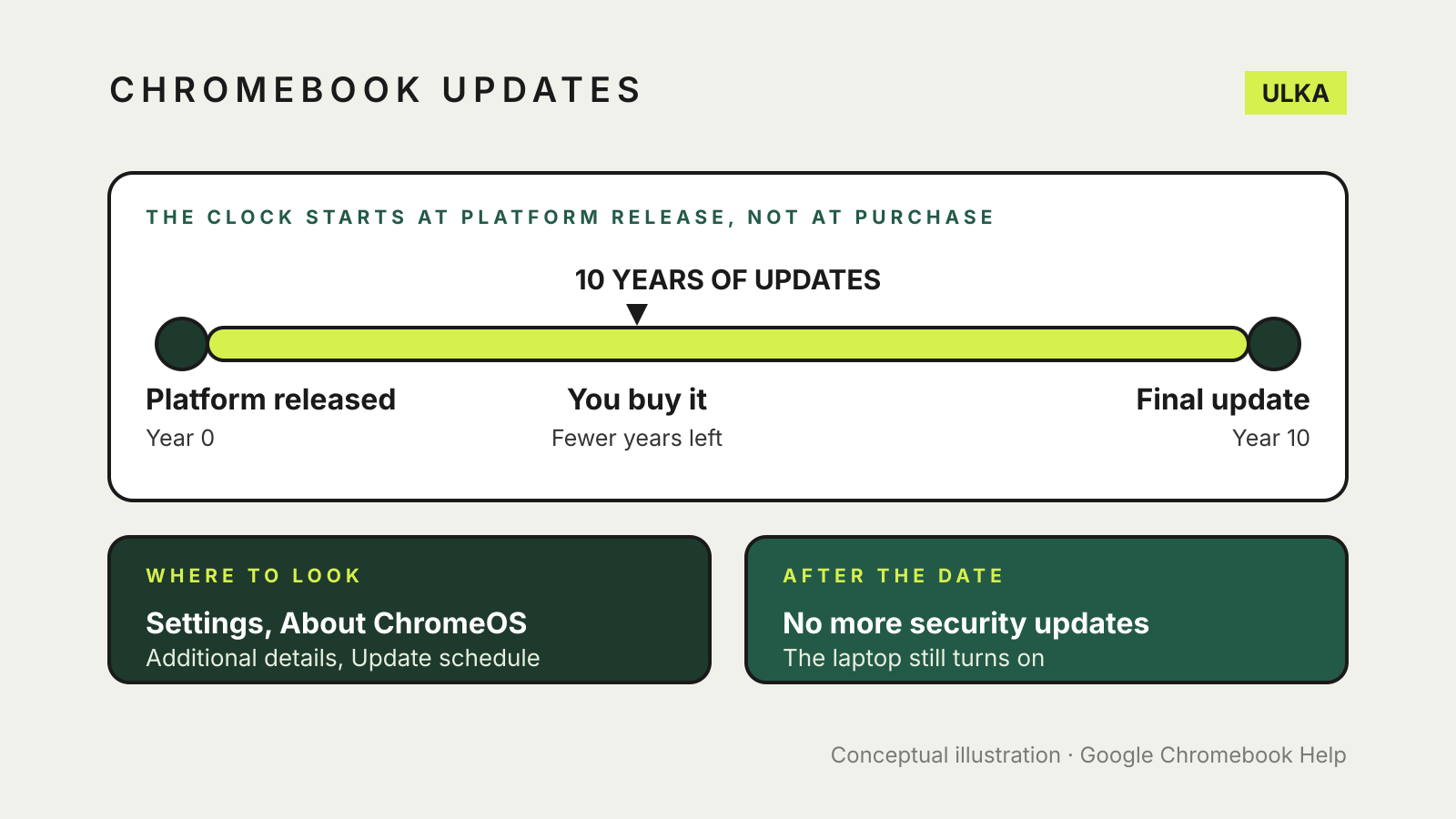
To see when your Chromebook stops getting updates, select the time at the bottom right, open Settings, choose About ChromeOS, then Additional details. The Update schedule section states when the laptop will get its last update. Google counts the 10 years from the platform’s release, not from the day you bought it, so a new Chromebook can have far less than 10 years left.
Checked 24 November 2026: this guide follows Google’s Chromebook Help pages on the update schedule and extended updates and Google’s Auto Update policy page. Google can change the dates and wording.
Check your date in four steps
- Select the time in the bottom-right corner, then open Settings.
- In the bottom-left corner, select About ChromeOS.
- Select Additional details.
- In the Update schedule section, find when the Chromebook will receive its last update.
A work or school Chromebook may say that updates are controlled by an administrator instead. In that case ask the person who manages it. If you are shopping, the same date is listed against each model in Google’s Auto Update policy tables, and Google’s advice there is to check it before you decide to buy.
Why a new Chromebook can have a short life
Google’s policy says ChromeOS devices receive 10 years of updates, counted “from the platform release date”. A platform is the set of components a manufacturer picks for a device, and one platform can sit inside several laptops sold over several years. Google also says the “End of Sale” date a manufacturer sets “isn’t related to a device’s eligibility for Google updates”.
Here is what that means for readers in Australia, using a handful of rows from Google’s policy table as read on 24 November 2026 and our own arithmetic from that date:
| Model | Automatic updates until | Time left from 24 November 2026 |
|---|---|---|
| Google Pixelbook | Aug 2027 | about 9 months |
| Samsung Chromebook 4 | Jun 2029 | about 2 years 7 months |
| Dell Chromebook 3100 | Jun 2029 | about 2 years 7 months |
| Dell Chromebook 3120 | Jun 2033 | about 6 years 7 months |
| Acer Chromebook 311 (C725) | Jun 2036 | about 9 years 7 months |
| Acer Chromebook 11 (C720) | Jun 2018 | ended more than 8 years ago |
The table is a sample, not a full list, and some models listed on the page carry an asterisk, which means they need an opt-in for the last years. Two Chromebooks that look similar on a shelf can therefore have very different end dates, and the one you are about to buy is not guaranteed a full decade.
What happens on the final update date
If you see a “Final software update” notification, the device has stopped receiving ChromeOS and browser updates. Google says that means no more security updates, bug fixes or new features. Existing features may stop working, and apps that need a particular ChromeOS or browser version may lose support. Technical support is not provided for policies on such devices.
The laptop does not switch off. Google says a Chromebook that no longer gets updates still has verified boot, which checks the system at startup and typically repairs itself by reverting to its original state if it finds tampering. That is a safety net, not a substitute for security updates.
Options when the date arrives
- Extended updates (some older models). Google offers an optional program for eligible Chromebooks released before 2021, extending updates to a total of 10 years from the platform’s release. It does not include Android apps or the Google Play Store. Opting in is permanent, it erases Android apps and their data on that Chromebook, and you start it from About ChromeOS when it is available.
- Keep using it, with limits. If you do not opt in, Google says Android apps and the Play Store stay on the device, but developers may eventually stop supporting it. Avoid using such a laptop for banking or work accounts that carry sensitive data.
- ChromeOS Flex is not a way out. Google’s ChromeOS Flex page for organisations says Google does not support installing Flex on a ChromeOS device that can no longer receive automatic updates. Flex is meant for other PCs and Macs, needs at least 16 GB of available storage, and installing it erases existing data.
- Replace it. Check the new model’s date first, using the steps above or Google’s policy tables. When you sell or hand the old one on, follow our guide to wiping a laptop first.
If you are comparing a Chromebook with a Windows laptop, our guide to how much RAM a new laptop needs covers memory, and Windows 10 after support ended shows how support dates work on the other side.
Questions
How long do Chromebooks get updates?
Google says 10 years of automatic updates, counted from the platform’s release date. Your date is in Settings, About ChromeOS, Additional details, under Update schedule.
Does the date start when I buy the Chromebook?
No. It starts at the platform release date, so a Chromebook bought late in its platform’s life has fewer years left.
Can I still use a Chromebook after the final update?
Yes, but without security updates, bug fixes or new features, and some apps may stop working.
Can I install ChromeOS Flex on an expired Chromebook?
Google’s page for organisations says it does not support installing ChromeOS Flex on a ChromeOS device that can no longer receive automatic updates.
Is “End of Sale” the same as the update end date?
No. Google says the End of Sale date is set by the manufacturer and is not related to a device’s eligibility for Google updates.
Sources
- Google Chromebook Help, “Check your Chromebook’s update schedule”, read 24 November 2026.
- Google Chromebook Help, “Extended updates support”, read 24 November 2026.
- Google Chrome Enterprise and Education Help, “Auto Update policy”, read 24 November 2026.
- Google ChromeOS Flex Help, “ChromeOS Flex FAQ”, read 24 November 2026.