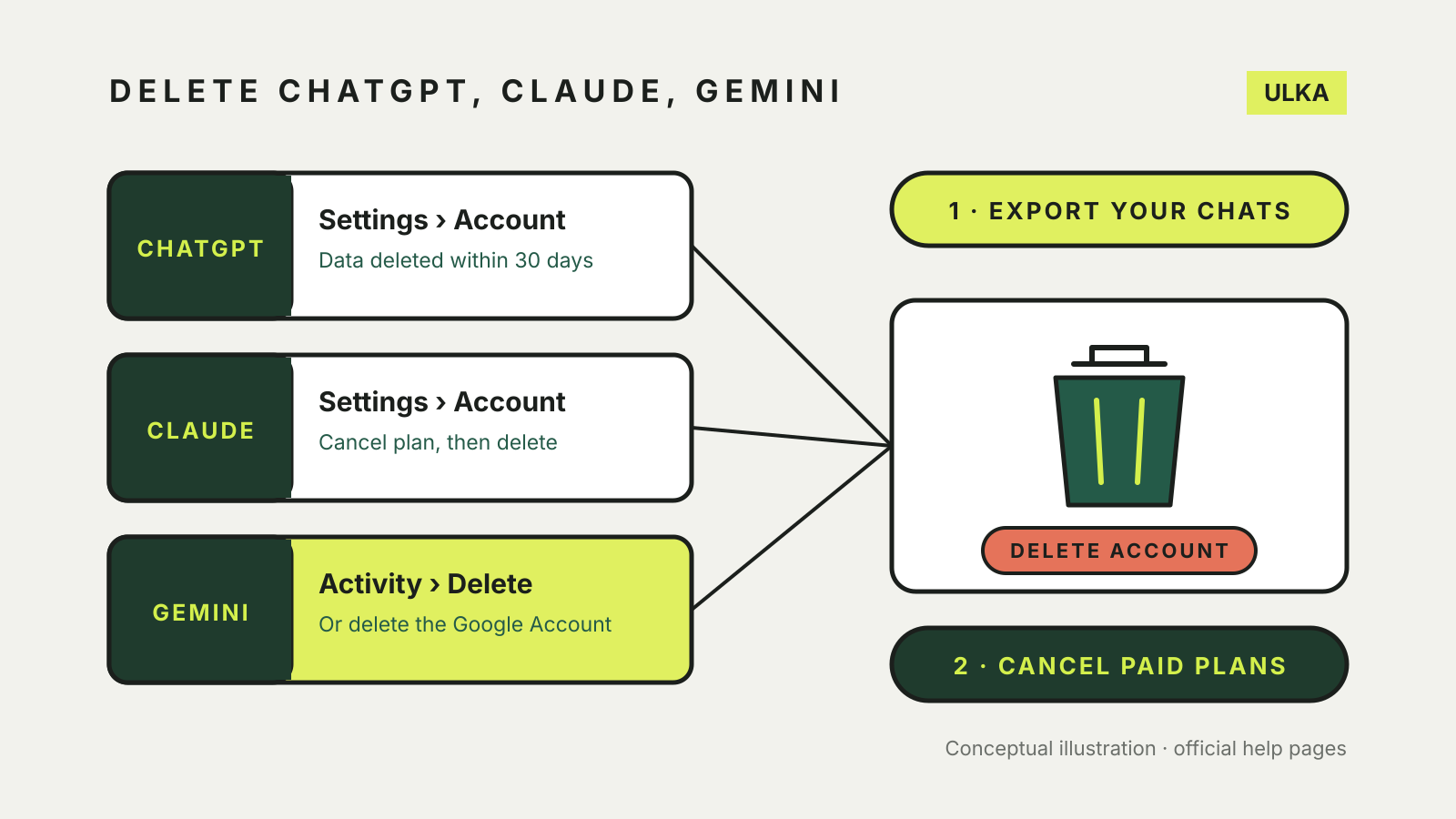
You can delete a ChatGPT or Claude account from the app’s own settings, under Settings > Account. Gemini works differently: it has no separate account, because it runs on your Google Account. You can delete your Gemini chats and stop new ones being saved, but deleting the account itself means deleting your whole Google Account, including Gmail, Drive and Photos.
Before you delete anything, cancel any paid plan and export what you want to keep. This guide compares the steps and what each company says happens to your data afterwards, using OpenAI, Anthropic and Google help pages checked on 3 November 2026.
At a glance
| ChatGPT | Claude | Gemini | |
|---|---|---|---|
| Where to delete | Settings > Account > Delete account | Settings > Account > Delete account | Gemini Apps Activity, or delete the Google Account |
| Paid plan first | Deleting cancels plans billed by ChatGPT, not App Store or Google Play plans | Cancel and wait until the billing period ends | Check any Google subscription separately |
| What the company says about deletion | Data deleted within 30 days, with legal exceptions | Deleted chats removed from back-end storage within 30 days | Removal starts immediately; reviewed chats kept up to three years |
| Can you reuse the email? | Yes, after 30 days | Not stated | Not applicable |
ChatGPT
OpenAI’s account deletion page says deletion is permanent and stops you using the account for ChatGPT and the API.
- Sign in to ChatGPT on the web, open your account menu and select Settings.
- Select Account, then Delete next to Delete account.
- Enter your account email or phone number, type DELETE, and select Permanently delete my account.
OpenAI publishes separate steps for the iOS and Android apps. If you cannot sign in, it offers a deletion request through its Privacy Portal, where you need to verify the email address or phone number linked to the account.
Points to check first:
- Deleting the account cancels subscriptions billed directly by ChatGPT, but not one billed through the Apple App Store or Google Play. Cancel that in your phone’s subscription settings.
- OpenAI says it deletes your data within 30 days, except where it must or may keep a limited set for longer under law.
- A deleted account cannot be reactivated. You can sign up again with the same email address after 30 days.
- Self-service deletion is not available in ChatGPT Business, Enterprise or Edu workspaces. Ask your organisation instead.
If you only want to remove a few conversations, OpenAI says deleting a chat removes it from its systems within 30 days, with similar exceptions.
Claude
Anthropic’s deletion article says deletion is permanent and you lose access to your conversations, projects and other saved data.
If you pay for Pro, Max or Ultra, cancel the subscription in Billing settings and wait until the current period ends before deleting. Then:
- Web: on claude.ai, click your initials or name in the lower-left corner, open Settings > Account, click Delete account and follow the prompts.
- iOS: open Settings, tap Profile in the Account section, tap Delete account, then Delete.
- Android: tap the menu button, tap your initials, then Profile. Under Account Actions, tap Delete Account, then I Understand.
Anthropic says some accounts show a contact support option instead, and you then need to ask its team. If several accounts share one email address, you have to say which ones to delete.
On retention, Anthropic’s privacy centre says a deleted conversation disappears from your history immediately and from its back-end storage within 30 days. If you allowed your chats to be used to improve Claude, de-identified data may be kept for up to five years. Chats flagged for breaking its usage policy, and feedback you submitted, can be kept longer.
Gemini
Google’s Gemini activity page explains how to delete what Gemini has saved:
- Go to gemini.google.com and click Settings & help > Activity, or visit myactivity.google.com/product/gemini.
- Click Delete and choose All time, Last hour, Last day or a custom range. You can also delete one day or one item.
- To stop new chats being saved, click On near the top and choose Turn off or Turn off and delete activity.
Google notes some limits:
- Deleting a chat with a Gem does not delete the Gem, and deleting a shared chat does not remove its public link.
- With Keep Activity off, chats are still kept with your account for up to 72 hours.
- The Gemini Apps Privacy Hub says chats already read by human reviewers are not deleted with your activity. They are kept for up to three years, disconnected from your account.
- Some data, such as how often you use Gemini, stays until you delete your Google Account.
To remove everything, Google’s account deletion page says to open Data & privacy in your Google Account and choose More options > Delete your Google Account. You lose all the data in that account and access to services you sign in to with it, including purchases on Google Play. Download what you need first.
Before you press delete
- Export your chats. Our guide to exporting ChatGPT, Claude and Gemini chats covers each service.
- Cancel paid plans, including any billed through an app store.
- Check shared links and saved memories you might want to remove first. See our memory comparison.
- If you plan to keep using an assistant, review the privacy settings for training and chat history instead.