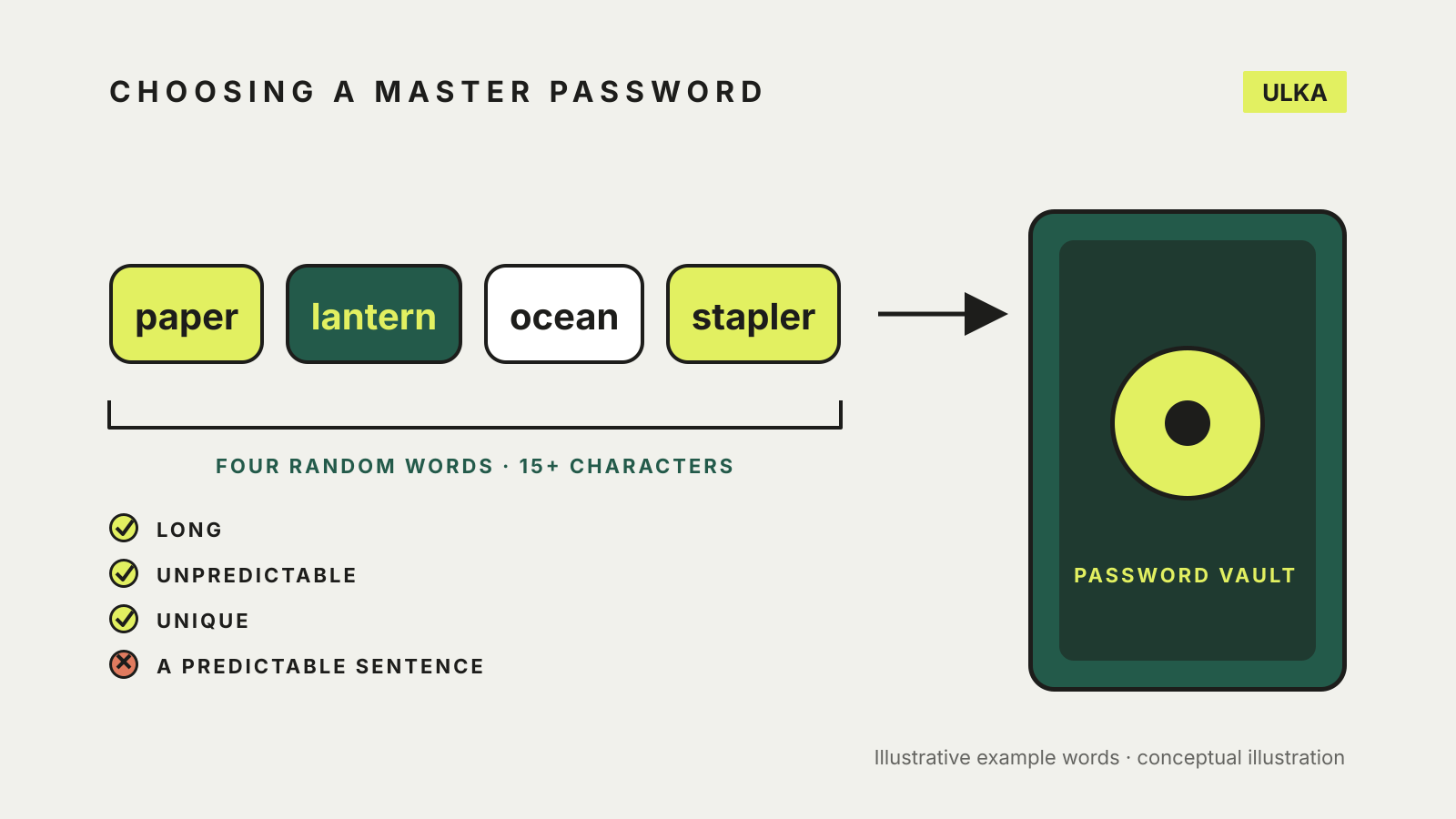
The best master password for a password manager is a passphrase: four or more random, unrelated words, at least 15 characters in total, that you have never used anywhere else. That is the Australian Cyber Security Centre’s advice for strong passphrases, and it suits a master password well because it is the one secret you must remember. The rest of your passwords can then be long, random and forgettable.
This guide explains how to choose a master password, what to avoid, how to check it, and what to set up in case you forget it. It follows ACSC guidance and Bitwarden’s help pages, checked on 2 November 2026. Other password managers have their own rules, so check the one you use.
Why the master password matters most
A password manager keeps your logins in one place, so the master password protects all of them. The ACSC’s passphrase guidance says to protect the password manager with its own strong and memorable passphrase. It also says to use a unique passphrase for every valuable account, which means the master password should not be reused from anywhere else.
Bitwarden’s master password page adds a practical warning. It says Bitwarden employees and systems have no knowledge of your master password and no way to retrieve or reset it, so you must not forget it. Check whether your own manager works the same way before you rely on it.
Three rules: long, unpredictable, unique
The ACSC’s passphrase page says a strong passphrase should be long, unpredictable and unique.
Long. The ACSC says to aim for four or more random words, at least 15 characters in total, whenever you can. Its examples are ‘red house sky train’, ‘sleep free hard idea’ and ‘crystal onion clay pretzel’. Bitwarden requires at least 12 characters for master passwords created after its 2023.3.0 release, so meeting the ACSC’s 15 clears that minimum too.
Unpredictable. The ACSC says a lyric, quote or sentence, such as ‘I don’t like pineapple on pizza.’, can be predictable, because language follows grammar and punctuation rules. A random mix of unrelated words is far more unpredictable. It suggests using online tools, or opening a dictionary or another book to random pages and picking unrelated words. Do not choose the words yourself from things you like, since that makes them guessable.
Unique. Reusing a passphrase makes every account that shares it more vulnerable. For a master password this is a firm rule: it should exist only in your head and, if you choose, in a safe place at home.
If a site demands symbols, capitals or numbers, the ACSC says you can include them in your passphrase.
A simple way to build one
- Pick four unrelated words at random, using a word list, a dictionary or a book opened to different pages.
- Join them with spaces or another separator. The ACSC examples use spaces.
- Count the characters. If it is under 15, add a fifth word.
- Type it from memory several times over the next few days before you rely on it.
Avoid adding the service name as the ACSC’s modifier trick for this one. That trick is meant for other accounts, where a modifier tied to the service makes unique passphrases easier. Your master password protects a vault of unique, generated passwords, so it does not need one.
Check it, then protect it
Bitwarden provides a free password strength testing tool for memorable passwords you are considering. When you change your master password in Bitwarden, there is also an option to check it against Have I Been Pwned. Bitwarden says that sends a hash of the password to compare with exposed hashes, and that the master password itself is never exposed. Our guide to checking if a password has been leaked explains how those checks keep passwords private.
Then add a second layer. The ACSC calls multi-factor authentication one of the most effective ways to protect against unauthorised access. Bitwarden suggests setting up two-step login next. Passkeys are another option: Bitwarden lists them as an alternative way to log in, and says biometrics or a PIN can unlock a locked vault but are not a replacement login method. Our passkey setup guide covers the main services.
Plan for forgetting it
A strong master password you cannot remember is worse than useless. Bitwarden’s page suggests two safeguards:
- A hint. A master password hint can be requested from the login screen and is emailed to the account holder. Choose a hint that only you will understand.
- An emergency contact. Bitwarden says users with premium access can grant account access to a trusted friend or family member in an emergency. Our guide to password manager emergency access covers how this works across services.
The ACSC says you may keep track of passphrases in a notebook rather than a password manager, as long as the storage is secure. A written master password kept somewhere safe at home is a reasonable fallback. Do not keep it in the vault it unlocks.