To write AI prompts that get a usable answer, say what you want made, give the chatbot the information it cannot guess, describe the form the answer should take and name anything it must not change. That is the shared advice in the prompting guides OpenAI, Anthropic and Google publish for ChatGPT, Claude and Gemini. OpenAI says you don’t need technical syntax, and Google recommends writing in natural language. What all three ask for is the detail you would give a capable colleague who has never seen your work.
This guide draws on those official pages, checked on 14 October 2026. The examples are ours, written to show the structure rather than to promise a particular result: the same prompt can give different answers on different days, plans and models.
The four parts of a useful prompt
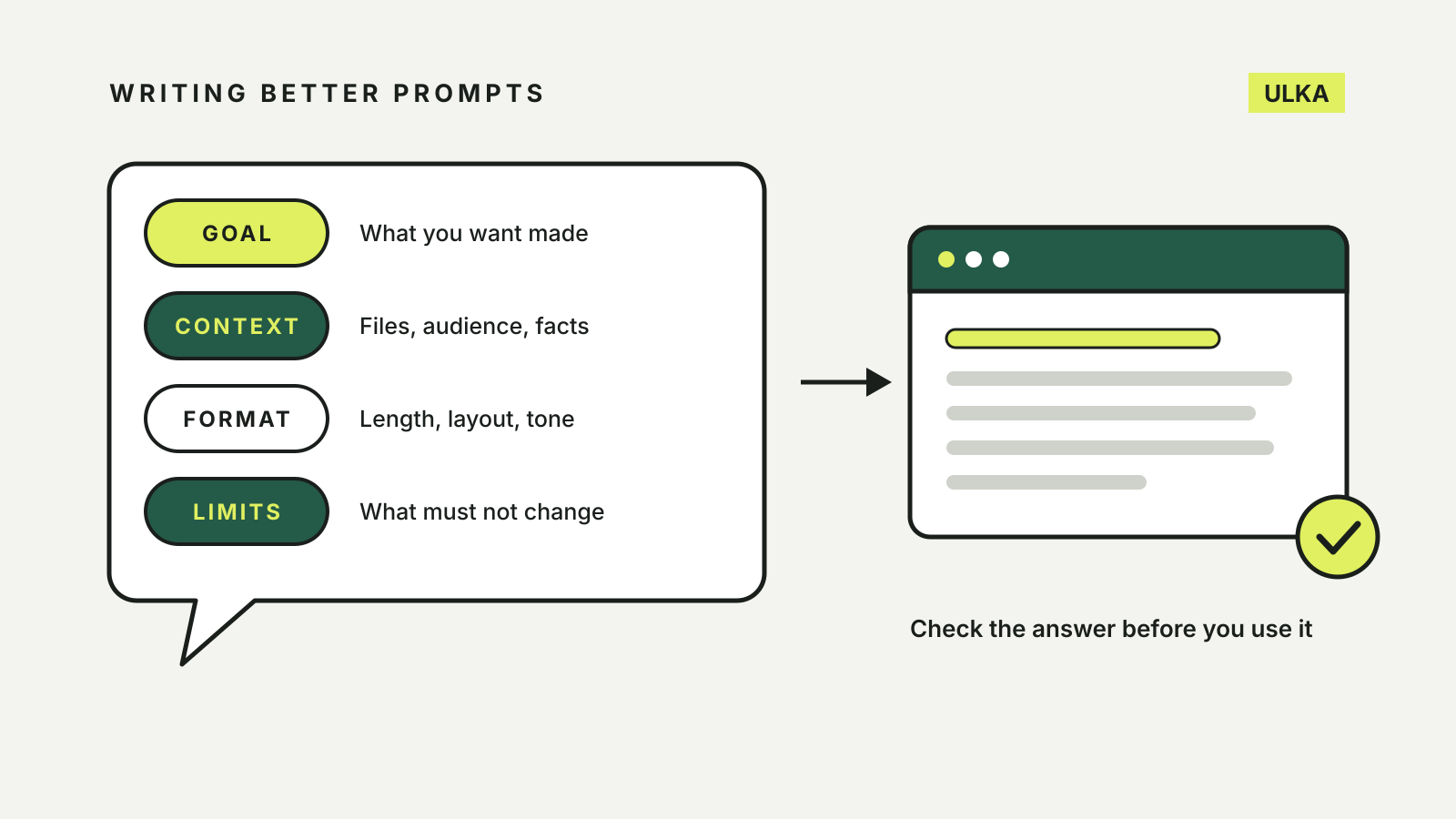
OpenAI’s ChatGPT prompting guide breaks a larger request into goal, context, output and boundaries, and says to use only the parts that help. Google’s Gemini prompting advice for Workspace uses persona, task, context and format, and says you do not need all four in every prompt. The overlap is close enough to work from one checklist.
| Part | What to write | Example |
|---|---|---|
| Goal | The result you want and who it is for | “A one-page summary for the school P&F committee” |
| Context | The facts, files or background it cannot know | “Use the attached minutes from the last two meetings” |
| Format | Length, layout and tone | “Under 300 words, decisions first, plain English” |
| Limits | What must stay fixed, and what to flag instead of guessing | “Keep the dates and amounts exactly as written” |
A short question often needs only the goal. The other parts earn their place as the task gets longer or the answer matters more.
Start with the result, not the steps
OpenAI’s guide says to start with the result rather than a detailed list of steps, and to mention the audience or format when they change what the chatbot should produce. “Turn these meeting notes into a short update for the project team. Put the decisions and next steps first” is its own example.
Anthropic makes the same point in its prompting best practices for Claude, written mainly for developers: be specific about the output and its constraints, and treat the model as “a brilliant but new employee who lacks context on your norms”. Its test is a good one for anyone. Show the prompt to a colleague who knows nothing about the task. If they would be confused, the chatbot will be too.
Google’s tips to write prompts for Gemini put it in plainer terms: use natural language, as you would with a friend or colleague, rather than search-style keywords. “Training plan” becomes “Write a training plan for the sales team for the launch of a brand new product.”
Give the context it cannot guess
A chatbot does not know your audience, your deadline or the document you have open unless you supply it. OpenAI suggests attaching the files that matter and explaining what to take from each one, adding a screenshot when the task is visual, and asking for web search and sources when the answer depends on current information.
Anthropic adds a reason to explain why an instruction matters. Its example: instead of “NEVER use ellipses”, say the response will be read aloud by a text-to-speech engine that cannot pronounce them. A model told the purpose can apply it to cases you did not list.
Before you paste anything in, think about what you are sharing. Work documents, health details and other people’s information may be kept in chat history or used under the service’s data settings. Our guide to AI chatbot privacy settings shows where to switch off training and history in each app.
Ask for the format you will actually use
Tell the chatbot where the answer is going. OpenAI’s examples include “a one-page summary a director can scan before the meeting” and “a clear table of planned versus actual spending”. Its help centre adds that descriptive words such as “formal”, “friendly” or “professional” steer the tone.
When the format is unusual, show it. Anthropic calls examples “one of the most reliable ways” to steer format, tone and structure, and recommends three to five that are relevant and varied. Pasting one finished paragraph in the style you want usually beats describing the style.
Set the one or two limits that matter
Limits are where a prompt saves you from correcting the answer later. OpenAI lists boundaries such as keeping approved dates and budget figures unchanged, using only the supplied sources and flagging missing information instead of guessing. It advises focusing on the one or two that matter most rather than trying to control every step.
That second point is the useful one. “Use only the attached policy. If something is not covered, say so” does more to stop an invented answer than a paragraph of general warnings.
Break big jobs up, then refine
Google recommends splitting several related tasks into separate prompts. Ask for an outline, check it, then ask for each section. OpenAI and Google both describe prompting as a conversation: review the first answer and ask for a specific change, such as “make the opening more direct and move the recommendation above the background”, rather than starting again.
If you are not sure how to phrase a request, the chatbot can help. Google suggests starting a Gemini prompt with “Make this a power prompt:” followed by your draft, then checking the suggested version says what you need.
Save prompts you reuse
When you find yourself typing the same background every time, move it out of the chat. ChatGPT keeps preferences that apply across chats in Settings > Personalization as custom instructions, and Google’s Gem instructions guide uses the same persona, task, context and format structure for a reusable Gem. Our comparison of ChatGPT Projects, Claude Projects and Gemini Gems covers where each service stores those instructions and files.
A prompt you can adapt
Write a 250-word email to parents of my Year 4 class about next Friday’s excursion to the museum. Use the attached permission note for the times, cost and what to bring. Friendly but clear, with the key details in a short list at the end. Keep every time and amount exactly as in the note, and tell me if anything is missing instead of filling it in.
It has a goal and audience, the source of the facts, a length and layout, and one firm limit. Then read the result against the note before it goes out. A well-written prompt makes a good answer more likely; it does not make checking unnecessary.
If you are still choosing an assistant, our AI chatbot comparison looks at tools, sources and plans.