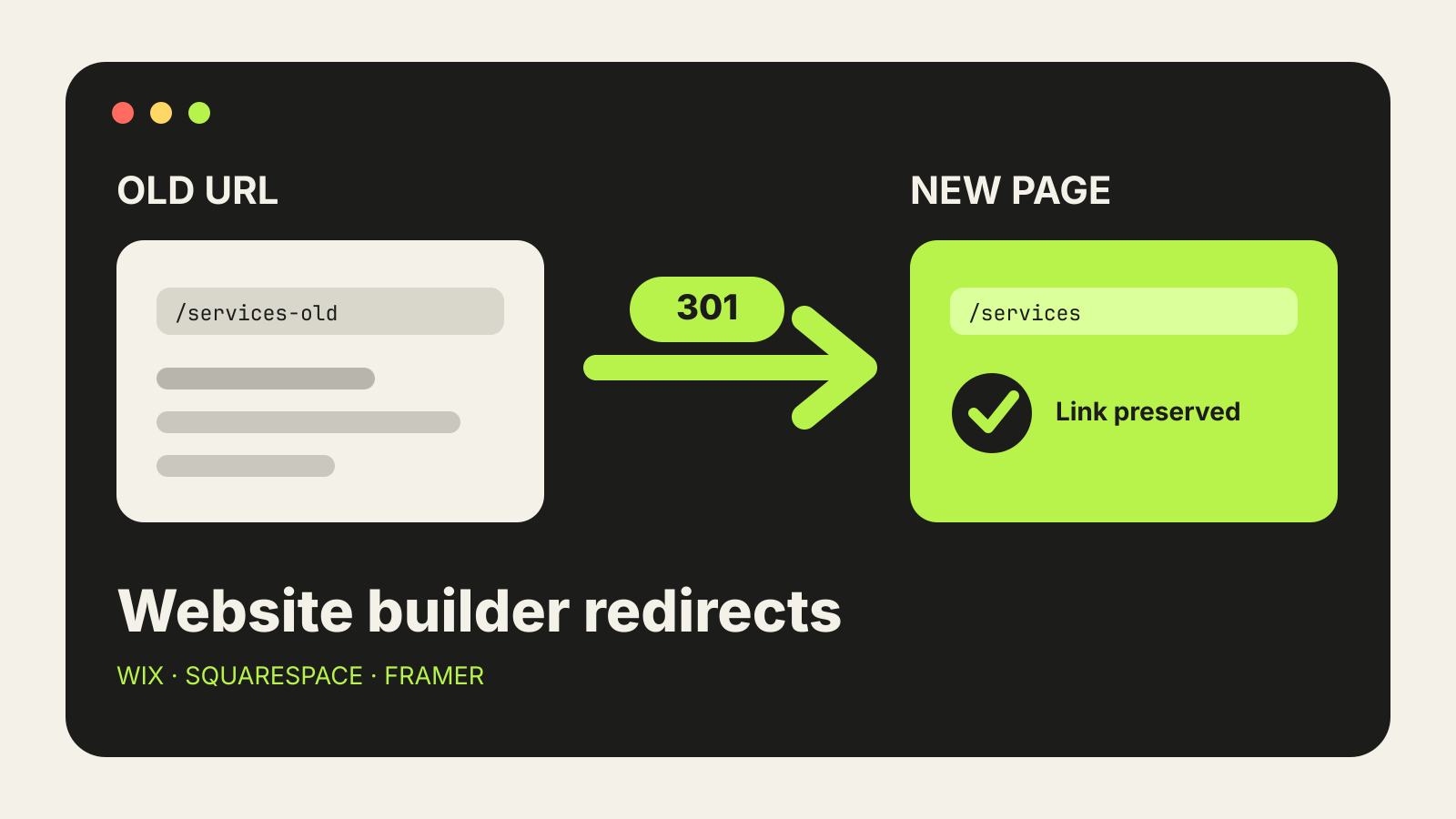
Website builder 301 redirects keep old URLs working when you change a page slug, reorganise a site or move to a new builder. The job is simple in principle: every old address should send visitors and search engines to the closest useful new page. The details differ in Wix, Squarespace and Framer, so set the redirects before launch and test them after the site is live.
This guide follows the current help documentation from Wix, Squarespace and Framer. It was checked on 29 October 2026.
Make a redirect list before changing anything
Start with a two-column sheet: old URL and new URL. Include every page that has backlinks, search traffic, bookmarks or links from your own site. A crawl export, Search Console report and analytics landing-page report can help, but even a small site should include its main navigation, service pages, articles and campaign URLs.
Map each old page to the most relevant replacement. Avoid sending every removed page to the home page. A visitor who followed a link to /pricing-old should reach the new pricing page, not a generic front door.
If you are rebuilding the whole site, keep this mapping beside the migration checklist in our guide to moving a website off a website builder.
Wix: use the URL Redirect Manager
Wix puts manual redirects under SEO & GEO in the site dashboard. Its 301 redirect guide says to open URL Redirect Manager, choose New Redirect, select Single redirect, then enter the old path and choose or enter the destination.
Wix says most page slug changes automatically create a 301 redirect. The notable exception in its current documentation is Wix Blog, where changing a post URL does not automatically add the redirect. Check blog changes manually instead of assuming the old link will work.
A few Wix details matter:
- The site needs a connected custom domain.
- For a page on the same site, use the path after the domain, such as
/old-services. - Wix also supports group redirects for several URLs that follow the same pattern.
- When moving from another platform, Wix recommends connecting the old domain to the new Wix site before adding redirects.
After saving, open the full old URL in a private browser window. Confirm it lands on the intended page and does not pass through another redirect first.
Squarespace: add URL mappings
Squarespace calls redirects URL mappings. Its URL mappings documentation places them under Developer Tools in the website settings.
A permanent redirect uses this format:
/old-url -> /new-url 301
Squarespace supports both 301 and 302 redirects. Use 301 when the move is permanent. A 302 is temporary and fits a short-lived campaign or maintenance detour.
Order matters. Squarespace reads mappings from top to bottom, so put a specific rule above a broader rule that could also match it. The documentation also says the old URL must not currently exist as a live page. If it does, the page takes precedence and the mapping will not fire.
Current Squarespace limits and constraints include:
- You cannot redirect from the bare root path
/. - The URL mappings field supports up to roughly 2,500 lines or 400 KB.
- A mapping may point to another page on the site or to an external URL.
- Query parameters are retained in some mapping patterns; test campaign links that rely on them.
Save the mappings, then test a sample from the top, middle and bottom of a long list. One formatting error can be easy to miss in a large migration.
Framer: create redirects in Hosting settings
Framer manages redirects in Site Settings > Hosting > Redirects. The Framer redirect guide says to add the old path, add the new path, save, then publish or update the site for the redirect to take effect.
For a single page, the rule is straightforward: point /old-page to /new-page. Framer also supports wildcard redirects for whole folders. A capture can carry the changing part of the old path into the new one, which is useful when an article section moves without changing every slug.
Framer’s redirects work for paths on the domain connected to the Framer project. Its documentation says domain-level redirects, such as sending an old domain to a new domain, need to be configured with the provider that hosts the old domain. Keep control of that old domain until the migration has settled.
When to use a 302 instead
A 301 says the move is permanent. Use it for renamed pages, restructured folders and site migrations. A 302 says the move is temporary. It can suit a brief promotion, maintenance page or test where the original URL will return.
Do not use a chain of temporary redirects to postpone a clean mapping. If /old goes to /middle and then to /new, update the first rule to point straight to /new. Shorter paths are easier to maintain and faster for visitors.
Test every redirect that matters
A redirect is not finished when it appears in a settings panel. Check the public result.
- Open the old full URL in a private window.
- Confirm the final page is correct and loads normally.
- Check that the browser ends on the expected HTTPS address.
- Test both desktop and mobile navigation where the old link was used.
- Update important internal links so they point directly to the new URL.
- Recheck the list after publishing and again after any domain or DNS change.
For a larger move, keep the old-to-new sheet as a permanent record. It gives you a quick way to diagnose 404 reports and to compare later crawl results.
Help search engines find the new addresses
Redirects preserve old entry points, but your live site should also link directly to the new pages. Update navigation, footer links, buttons, canonical URLs and XML sitemaps. Then submit or inspect the site in Google Search Console; our guide explains how to add a website-builder site to Search Console.
A 301 does not repair a weak destination. If several old pages are being merged, make sure the new page actually covers the information people expected from those links.
Common mistakes
Redirecting every removed page to the home page. Map each old page to the closest relevant replacement.
Leaving the old page live. On Squarespace, a live page at the old path prevents the mapping from taking over.
Forgetting to republish. Framer says redirects apply after the site is published or updated.
Assuming automatic redirects cover everything. Wix creates many redirects after slug changes, but its documentation excludes Wix Blog from that automatic behaviour.
Dropping the old domain too early. Domain-to-domain redirects depend on continued control of the old domain and its hosting or DNS configuration.