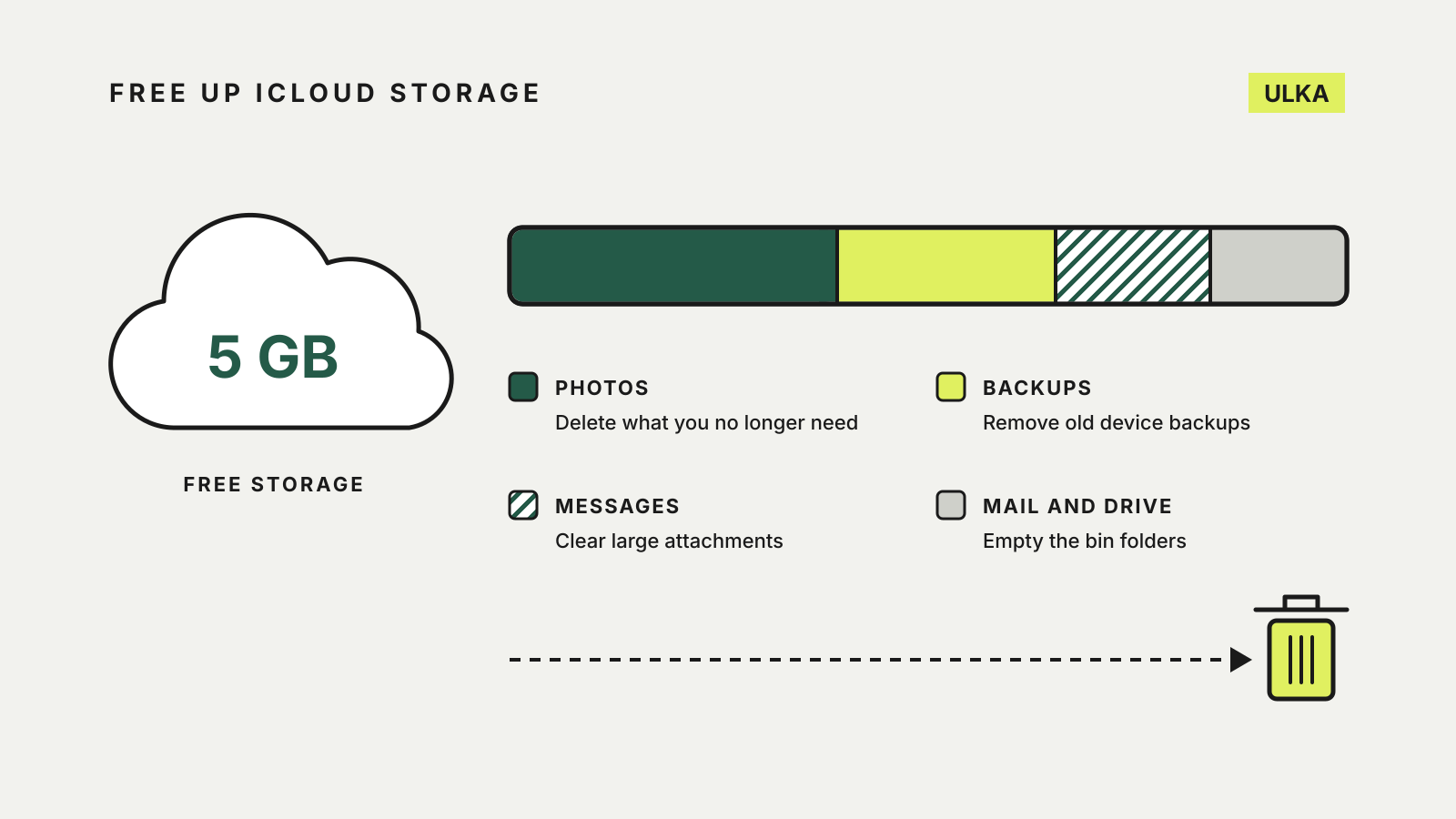
To free up iCloud storage, start with old device backups, photos and videos, and attachments in Messages, then work through Mail, iCloud Drive and the smaller items Apple lists. Apple gives every account 5GB free, and once that runs out the consequences go beyond a warning. It is worth clearing space before deciding whether to pay for more.
This guide follows Apple’s Australian support pages on managing iCloud storage and on what iCloud Backup includes, checked on 15 October 2026. Menu names are from iOS; Apple’s page gives matching steps for Mac and iCloud.com.
What happens when iCloud is full
Apple says that when you run out of iCloud storage, your device stops backing up to iCloud, new photos and videos stop uploading to iCloud Photos, and iCloud Drive and other iCloud apps stop staying up to date across your devices. You also can’t send or receive email with an iCloud address.
To see what is using the space, open Settings, tap your name, tap iCloud, then Storage (or Manage Account Storage).
Start with Recommended for You
On iOS 17, iPadOS 17 or later, Settings > [your name] > iCloud > Recommended for You lists things you may not need any more, such as photos, large files and old backups. Tap an option and follow the steps. It is the quickest first pass; anything it misses you can clear by hand below.
Shrink your backups
Backups of phones you no longer use, and data from apps you never open, take up space without giving you anything back.
- Delete backups of old devices. In Storage > Backups, tap a device you no longer use, then Turn Off and Delete from iCloud. Apple says backups stay available for 180 days after you stop using iCloud Backup, so an old phone’s backup can sit there for months. A backup that is being used to restore a device can’t be deleted.
- Leave out apps you don’t need backed up. Tap your current device under Backups and switch off apps you don’t use. Apple warns that this removes all of that app’s information from iCloud, and some apps are always backed up.
- Check whether photos are in the backup. Apple’s backup guide explains that iCloud Backup only covers what doesn’t already sync. If iCloud Photos is off, your photo library is part of the backup and can make it large. If Messages in iCloud is on, your messages sync instead and are not in the daily backup.
Clear photos and videos
With iCloud Photos on, deleting a photo on one device deletes it on every device signed in to the same Apple Account. Copy anything you want to keep to a computer or another service first.
Deleted items go to Recently Deleted for 30 days, and Apple says they don’t count towards your storage while they are there. If you are already over your limit, though, deleted photos are removed straight away and can’t be recovered.
Two sharing rules matter. In an iCloud Shared Photo Library, photos count only towards the storage of the person who created the library, so view your Personal Library to find what is counting against you. From version 27 of iOS, iPadOS and macOS, photos in a shared album count towards the album creator’s storage, and deleting a shared album removes it for everyone.
Messages, Mail and iCloud Drive
Messages. With Messages in iCloud, texts and attachments use your storage. Open a conversation, tap the contact’s name, then Photos, and delete the attachments you don’t need. You can also delete whole conversations or set old messages to delete automatically.
Mail. Emails with attachments take more space than plain text. On iPhone, Apple’s iCloud Mail Cleanup (in the Mail app’s More menu, under Cleanup Recommendations) clears promotions, updates or transactions and keeps doing so until you turn it off. Delete messages from the Bin folder too.
iCloud Drive. Delete files in the Files app under Browse > iCloud Drive. Files deleted on iCloud.com sit in Recently Deleted for 30 days. Folders that someone else shares with you don’t count towards your storage.
Smaller items worth checking
Apple’s page lists a few more places that use storage: voice memos (empty their Recently Deleted folder too), contact photos and posters on iOS 26 and later, FaceTime data and Apple Invites events you created. Deleting FaceTime data from iCloud also removes phone voicemails and FaceTime messages, and Apple says that can’t be undone.
If you still need more
Once you have cleared what you can, compare the remaining total with the plans available. Our cloud storage price list shows iCloud+, Google One and Dropbox prices in Australian dollars, and our cloud storage and backup guide explains when a backup service suits better than sync.
Keep in mind that iCloud sync is not the same as a separate backup. Deleting a synced photo removes it everywhere, so a copy on a computer or an external drive is still worthwhile. Our recovery plan guide covers how to set that up and test it.