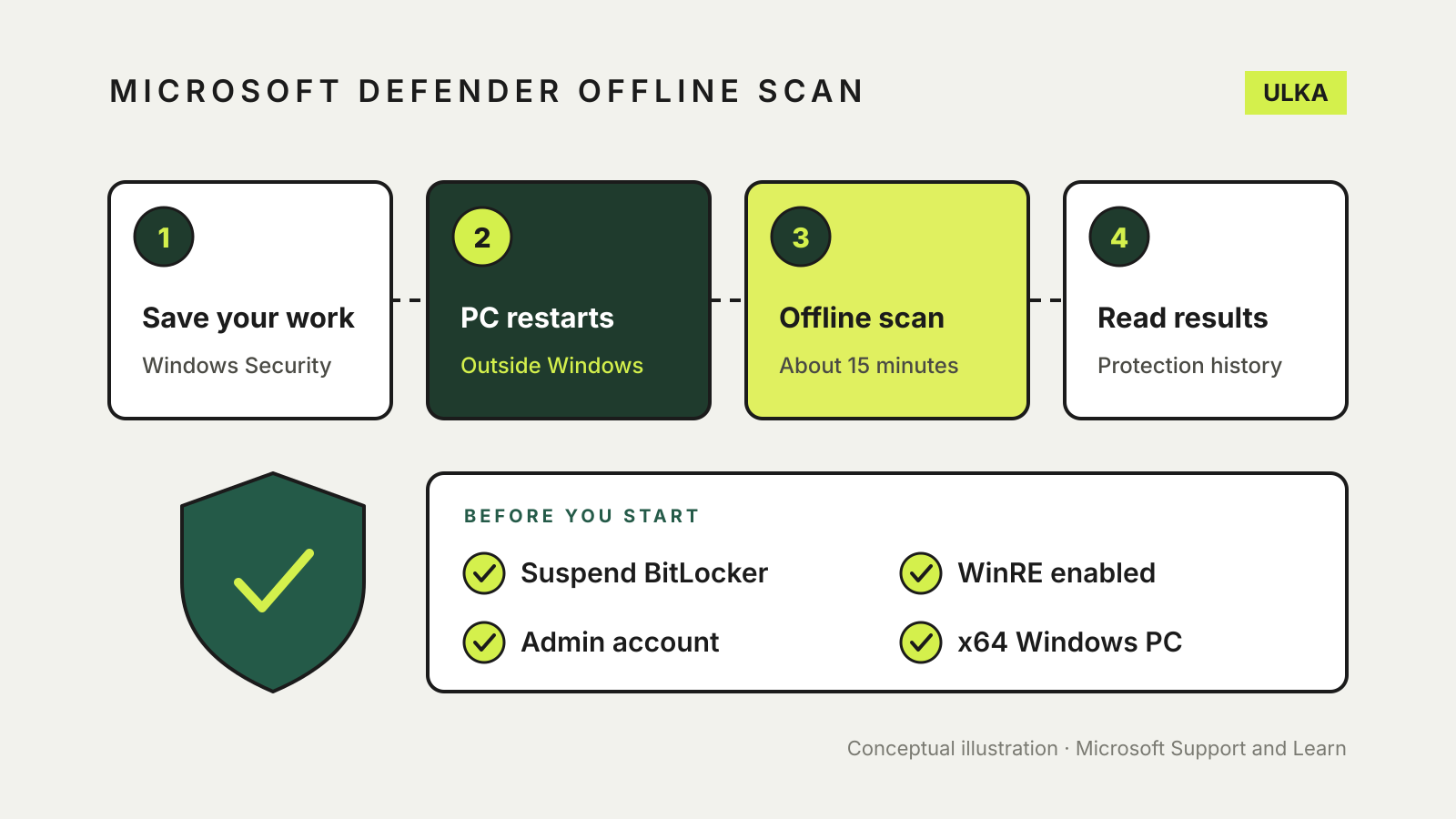
A Microsoft Defender Offline scan restarts your PC and checks it for malware before Windows loads, so persistent threats such as rootkits have a harder time hiding or defending themselves. To run one, open Windows Security, select Virus & threat protection > Scan options, choose Microsoft Defender Antivirus (offline scan) and select Scan now. Save your work first: the PC restarts, and Microsoft says the scan takes about 15 minutes.
This guide explains when an offline scan is worth running, what to check before you start, the three ways to launch it and where to find the results. It follows Microsoft’s support and Learn documentation, checked on 5 November 2026.
When to run an offline scan
Windows Security already scans your PC in the background. Microsoft suggests an offline scan in three situations:
- you are concerned the PC has been exposed to malware or a virus
- you want to confirm a thorough clean after removing an infection
- Windows Security itself prompts you to run one
Microsoft says Defender Offline runs from outside the normal Windows kernel. That lets it target malware that tries to bypass Windows, such as rootkits and viruses that infect or overwrite the master boot record. Microsoft’s support page adds that it can also be used when you want to scan without an internet connection.
If you have a specific worry, such as a pop-up demanding payment or an app you did not install, our guide to what to do if your computer has a virus covers the wider clean-up.
Check these first
Your PC and Windows version. The one-click offline scan is built into Windows 11 and Windows 10 version 1607 or later. Microsoft’s Learn page says Defender Offline does not apply to ARM versions of Windows 11 or Windows 10.
Defender is your main antivirus. Microsoft says Defender Antivirus must be your primary antivirus, not running in passive mode, to receive offline scan updates. If you installed a compatible non-Microsoft antivirus product, Defender switches itself off automatically.
BitLocker. If BitLocker is on for the system drive, Microsoft says to suspend BitLocker protection before the scan. Otherwise you may be asked for the BitLocker recovery key when the PC restarts into the offline environment. Have the key ready either way; our guide to finding your BitLocker recovery key shows where it is usually stored.
Windows Recovery Environment. The scan runs inside the Windows Recovery Environment (WinRE). Microsoft warns that if WinRE is disabled, the scan does not run and no error appears. To check, open Command Prompt or Terminal as an administrator and run reagentc /info. If the status is Disabled, run reagentc /enable.
An administrator account. Microsoft says you must be signed in with local administrator rights.
Updated protection. Microsoft says the offline scan uses the latest security intelligence. Open Virus & threat protection > Virus & threat protection updates and check for updates before you start.
Run it from Windows Security
- Open the Windows Security app and select Virus & threat protection.
- Under Current threats, select Scan options.
- Choose Microsoft Defender Antivirus (offline scan). Microsoft’s Learn page calls the same option Microsoft Defender Offline scan.
- Select Scan now, then Scan when you are asked to save your work.
- Select Yes to allow the app to make changes.
- Windows signs you out and shuts down in less than a minute.
The scan screen looks different from a normal Windows Security scan because it runs outside Windows. When it finishes, the PC restarts and Windows loads as usual.
Run it from PowerShell
If you are comfortable with the command line, open PowerShell as an administrator and run:
Start-MpWDOScan
Microsoft says this reboots the device into the isolated environment straight away, so close your apps and save files first. Microsoft also documents a WMI command for administrators managing several PCs, which restarts the device in the same way.
Find the results
When Windows is back, open Windows Security and select Protection history. That is where Microsoft says offline scan results appear, alongside anything quarantined by regular scans. If you suspended BitLocker, check that protection has resumed.
If the scan found and removed something, run a full scan from Scan options as a second check, and change the passwords you use on that PC from a device you trust.
What an offline scan does not do
Microsoft describes the offline scan as a way to find and remove persistent malware, not as a way to recover files or accounts. If malware has already encrypted or deleted files, your backups are what bring them back. Our list of Windows Security settings worth checking covers ransomware protection and the other switches to review once the PC is clean.